Basic Terms
One line per term, grouped by where you meet it. The six core terms come first; the rest is reference.
Core concepts
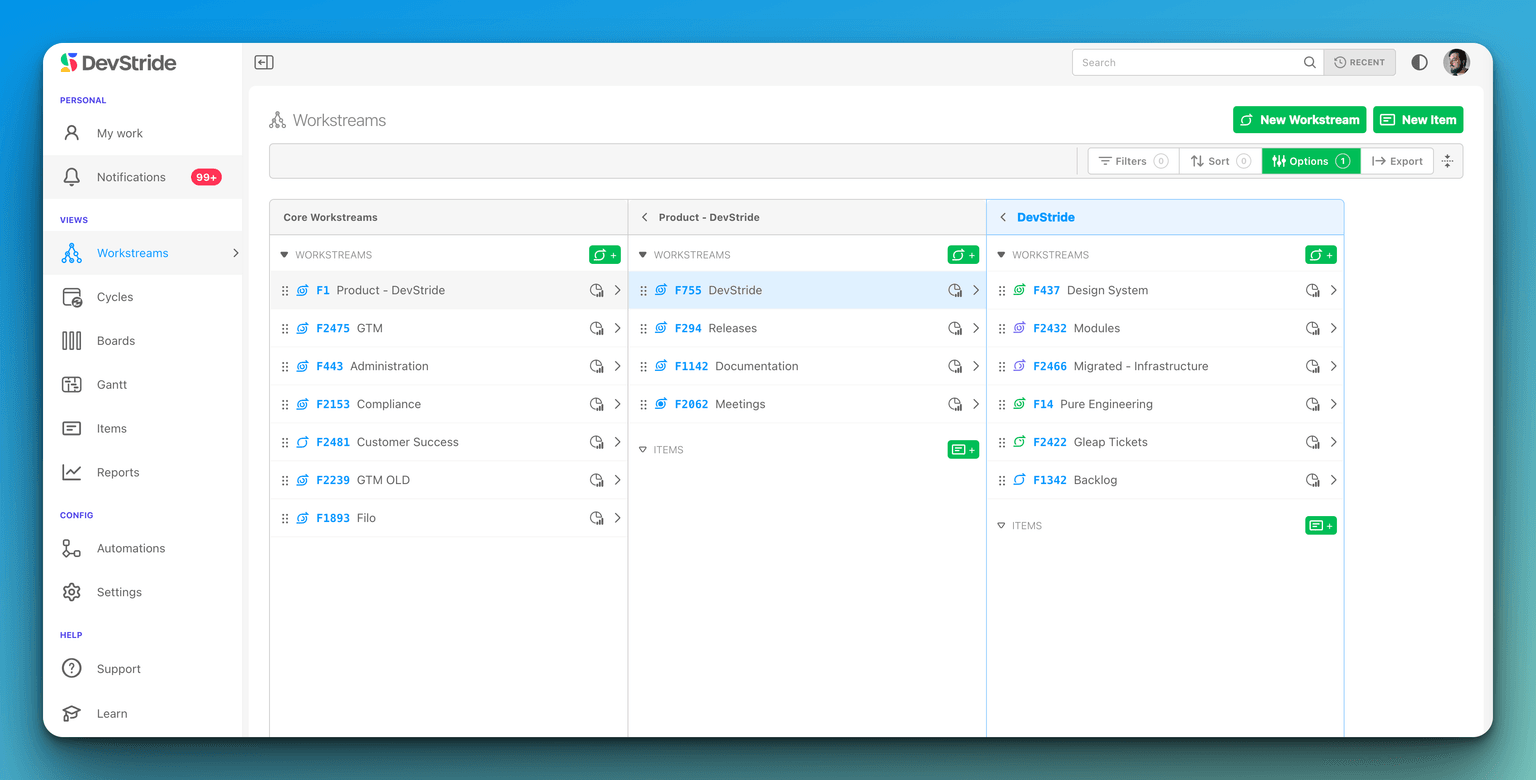
Workstream
A container in Map Value for what you deliver (a product, initiative, client, or function). Top-level ones are core workstreams; they nest, and sub-workstreams roll up to their parents. No dates; it is where work lives. Understanding Workstreams
Work Item
A unit of work inside a workstream with a type, status, assignee, dates, estimates, and fields. Added with the green Item button or the i key wherever items are listed. Creating work items
Workspace
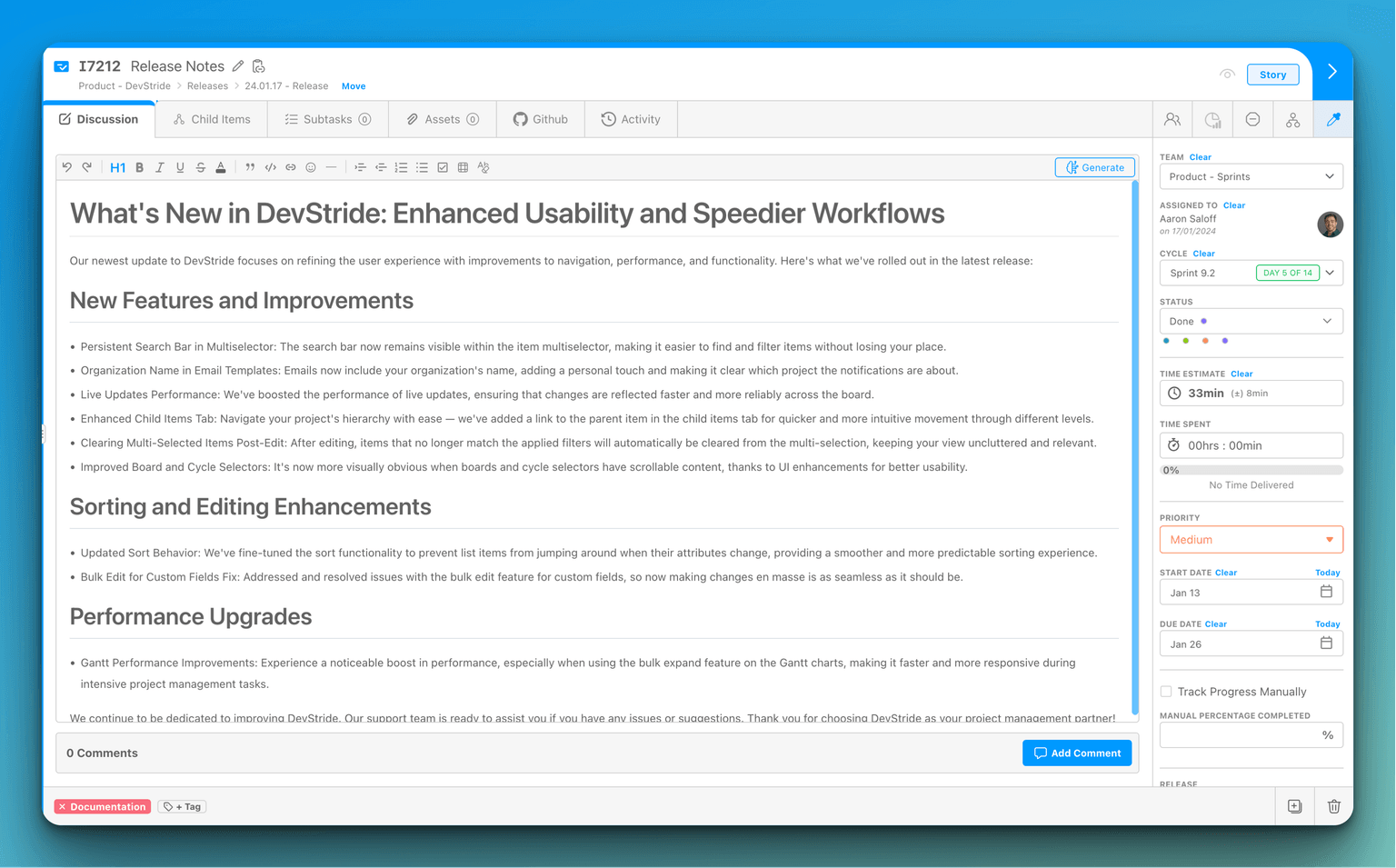
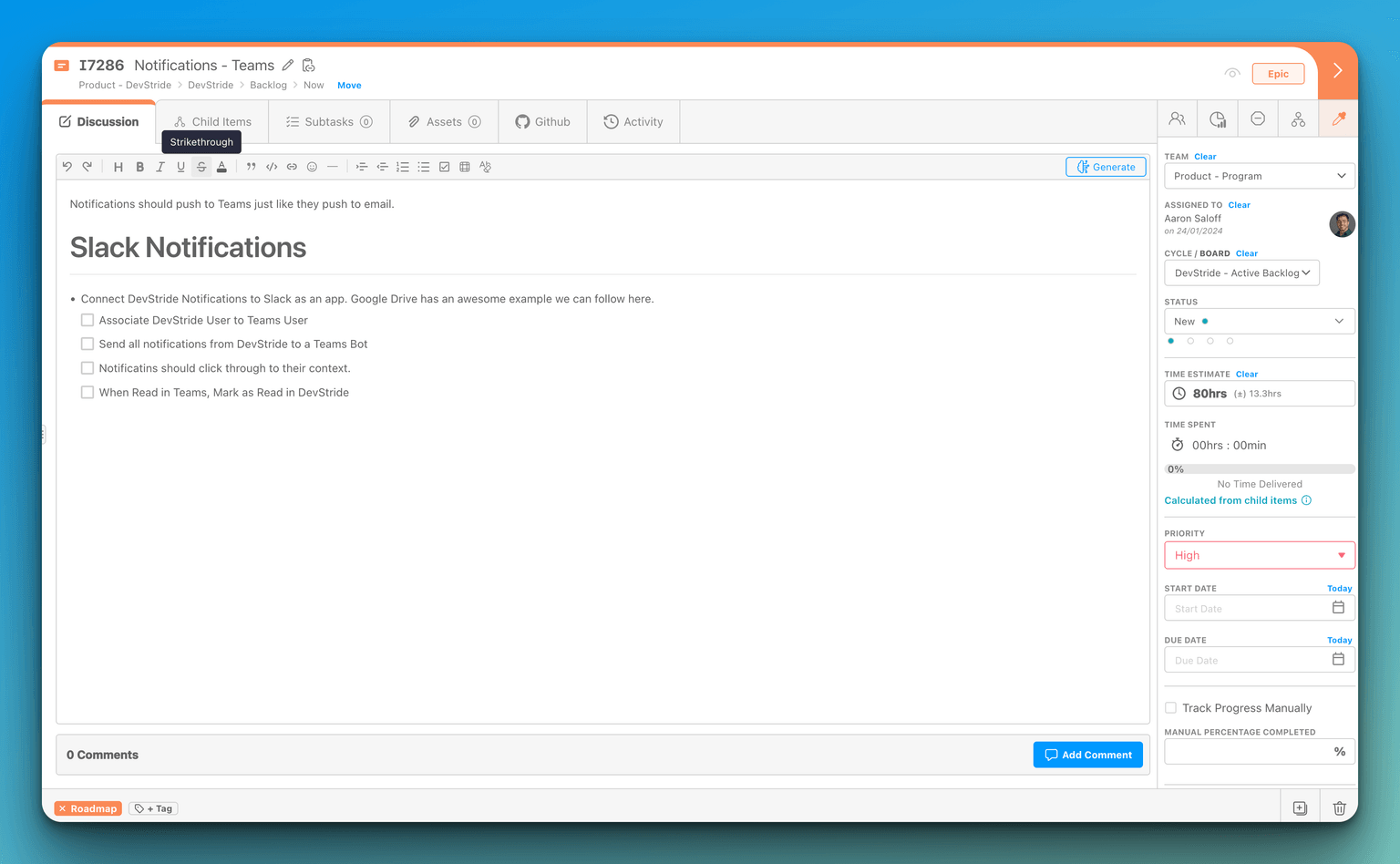
The drawer that opens on an item or workstream: description, discussion, subtasks, children, time, assets, and activity as tabs, with the data fields in the right sidebar. Item Workspace Tour
Cycle
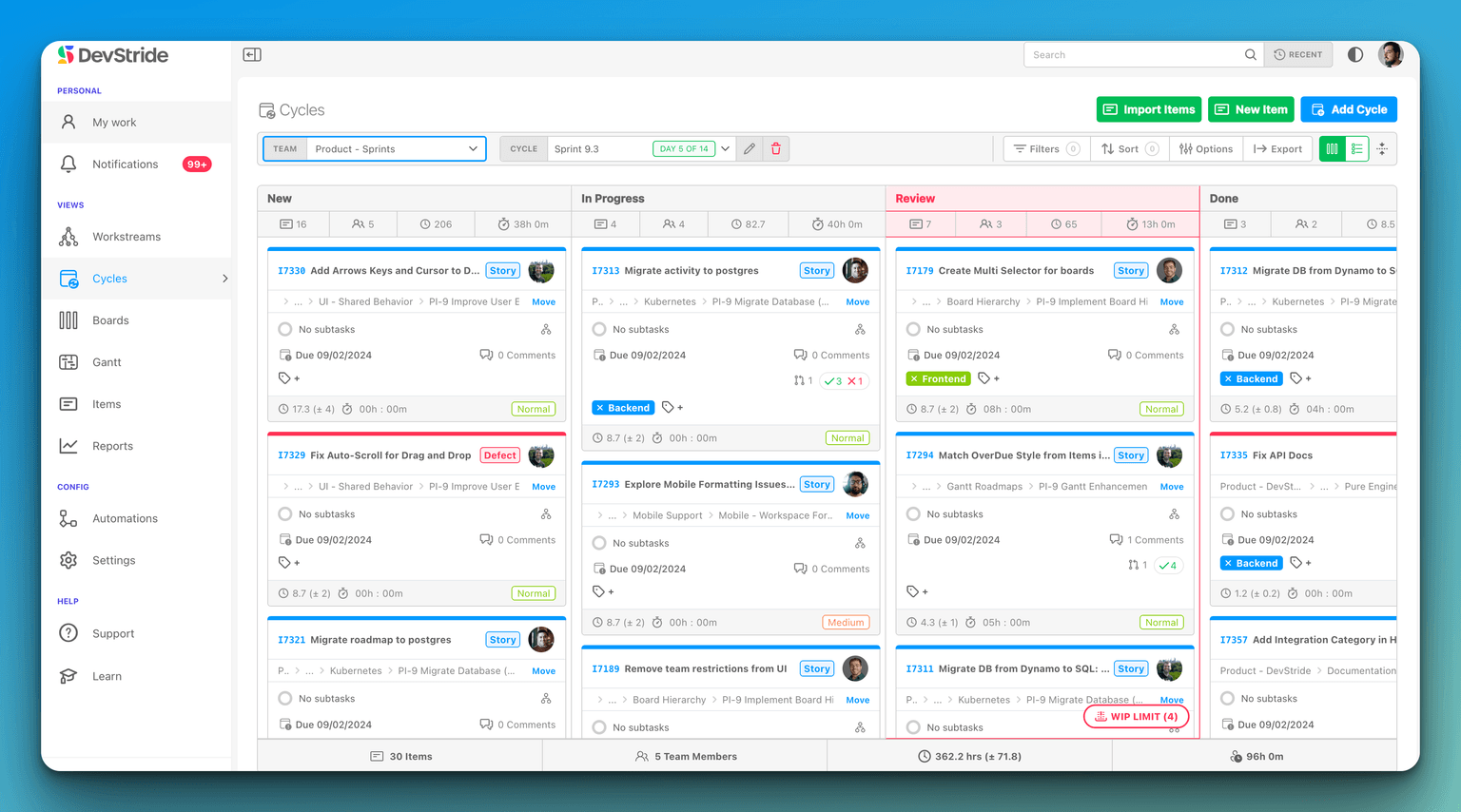
One dated period of a cadence as seen on a cycle board ("Sprint 14"). Items placed on a cycle inherit its dates. Optional: teams can work entirely on perpetual boards. Using cycle boards
Board
Where a team executes in Plan Delivery: columns are statuses, cards are items, with Status, Table, and 2D views. Perpetual boards run indefinitely; cycle boards run on a cadence. How DevStride manages the When
Gantt
The timeline view in Track Progress: items plotted by start and due date, with dependencies, milestones, and drag-to-reschedule. Gantt chart basics
Modules (the left navigation)
| Term | Definition | More |
|---|---|---|
| Map Value | Portfolio view of workstreams and their item hierarchy | Using the Map |
| Plan Delivery | Folders and boards where teams execute | Working Group Folders |
| Track Progress | Gantt charts | Setting up Gantt charts |
| Measure Performance | Reports: progress, velocity, cycle time, throughput, churn, time | Measure Performance |
| Automate Workflows | Rules that react to events and take actions | Setting up automations |
| Manage Items | Cross-organization table of every item with filters and saved views | Manage Items |
| My Work | Your personal list of assigned items | My Work |
| Configure Settings | Organization, data model, cadences, integrations, billing; Admin and Owner only | Organization Profile |
| My Account | Your profile, password, MFA, notifications, API keys | My Account |
Structuring work
| Term | Definition | More |
|---|---|---|
| Item Type | The level an item occupies (Epic, Story, Task) and what may nest under it; a type can have several parent types | Item Types |
| Dual Hierarchy | The same item seen by value (workstream tree) and by delivery (folder and board tree) | Working Group Folders |
| Folder | A Plan Delivery container for a working group's boards; nests and passes permissions down | Working Group Folders |
| Child Item | An item nested under another item; has its own status, assignee, estimates, and rolls up | Item hierarchy |
| Subtask | A checklist line inside an item; not an item, not in most reports | Workspace tabs |
| Custom Field | Data you add to items, grouped in collections per item type | Custom Fields |
| Collection | A named group of fields, tags, statuses, priorities, or estimate ranges assigned to item types (or, for statuses, to boards) | Custom Fields |
| Tag | A coloured label for attention or grouping; Bug and Blocked are reserved | Tags |
| Priority | A ranked level from a per-type collection, with a default | Priority Levels |
| Dependency | An item this one is blocked by | Dependency graph |
| Dependent | An item this one blocks | Manage dependencies |
| Related | A reference link between items with no scheduling effect | Manage dependencies |
| Blocked | A flag with a reason that an item cannot move; shows everywhere the item appears | Quick links |
| Template (item) | A reusable item tree applied from the Templates module | Templates |
| Import Template | An Excel workbook that creates a branch of workstreams and items | Import templates |
Workflow and Boards
| Term | Definition | More |
|---|---|---|
| Status | A stage of work; a board column. New is always first and Done last | Item Statuses |
| Status Collection | The ordered statuses a board uses as columns | Item Statuses |
| WIP Limiter | A cap on items in one status; the board flags the column when exceeded | Boards & WIP limiters |
| Cadence | A rule for repeating periods ("every 2 weeks") that generates timeboxes; cadences nest | Cadences |
| Timebox | One dated period generated by a cadence | Setting up cadences |
| Cycle Board | A board on a cadence; each cycle is a timebox | Cycle boards |
| Perpetual Board | A board with no timebox, for backlogs and continuous flow | Perpetual boards |
| Automation / Trigger | A rule: when an event happens (trigger) and conditions hold, do actions | Setting up automations |
| Link Mode | Date changes cascade along dependency chains | Link mode |
| Milestone | A diamond marker for a key date on a Gantt | Add to a Gantt |
Estimating and tracking
| Term | Definition | More |
|---|---|---|
| Point Estimate | Relative effort, per team; configured per type as Decimal, Integer, Fixed List, or Disabled | Effort points |
| Time Estimate | Optimistic, likely, and pessimistic hours combined by PERT into an estimate with a ± range | Time estimation |
| Estimation Range | A named preset (T-shirt size) with default hours | Time Estimates |
| T-shirt Sizing | Sizing in buckets (XS to XL) instead of exact numbers; DevStride's presets are the usual home for it | Time Estimates |
| Time Spent | Logged hours; an item's total is its own time plus its descendants' | Time Spent |
| Time Tracking Lock / Soft Close | Cutoffs after which logged time is uneditable or flagged late | Time Tracking Lock |
| Progress Rollup | Percent complete computed from direct children; can be overridden | Progress Tracking |
People and access
| Term | Definition | More |
|---|---|---|
| Role | Organization-wide permissions: Owner, Admin, Member, or custom | Roles & Permissions |
| Sharing | Per-object access (Viewer, Commenter, Editor, Owner) on an item, workstream, board, or folder | Sharing & Access |
| Team | A working group items and boards are assigned to; people can be on several | Users and Teams |
| Persona | A job function (Engineer, QA) assignable alongside or instead of a person; no permissions | Personas |
| Assignee | The one person responsible for an item (Assigned To) | Team through Status |
| Watcher | Someone notified of changes to an item | Notification options |
| User Label | A marker on a member (Contractor, Vendor) for filtering the Users table and User Picker fields | Users, Roles & MFA |
| Enterprise SSO | Signing in through your company's identity provider | Enterprise SSO |
Finding work
| Term | Definition | More |
|---|---|---|
| Filter | Narrow a list by status, team, priority, tag, field, and more | Finding & filtering items |
| View (Stored View) | A saved filter, sort, and column set; private, shared, or published | Creating & sharing views |
| Search | The box at the top of every screen, also opened with Cmd/Ctrl + K: your recent places, and search across pages, items, workstreams, boards, cycles and Gantts | Search & Recent Places |
Reporting
| Term | Definition | More |
|---|---|---|
| Throughput | Items completed per period | Throughput |
| Velocity | Points completed per cycle | Velocity |
| Cycle Time | Time from start to Done | Cycle Time |
| Burn Up / Burn Down | Completed or remaining work against a target over time | Burn up · Burn down |
| Churn | Work added, removed, or reopened mid-plan | Churn |
| Cycle Carry Forward | Work that moved from one cycle to the next | Cycle Carry Forward |
| Current Progress | Complete versus remaining at a point in time | Current Progress |
Intake and integration
| Term | Definition | More |
|---|---|---|
| Item Request Form | A private or public form whose submissions become items | Item Request Forms |
| Service Desk | Tickets from email and forms, with requesters, SLAs, and a customer portal | Service Desk |
| Shared List | A read-only item list shared with customer companies through the portal | Shared lists |
| Knowledge Base | Articles for your team and customers | Knowledge Base |
| API Key | A personal credential for programmatic access with your permissions | API keys |
| MCP Server | Lets AI assistants (Claude, ChatGPT, Cursor) work in DevStride on your behalf | DevStride MCP server |
| Plugin | An add-on module such as Weekly Logs | Plugins |
Handling incomplete items from Sprint to Sprint
A low-touch way to carry unfinished work into the next sprint without losing the record of what each sprint actually delivered: split the story, close part 1, estimate part 2.
Keyboard Shortcuts
Every keyboard shortcut in DevStride, verified against the app — global keys, dialogs, tables, boards, the Map, Gantt charts, the dependency graph, the item drawer, the editor, dates, and time entries.