Views
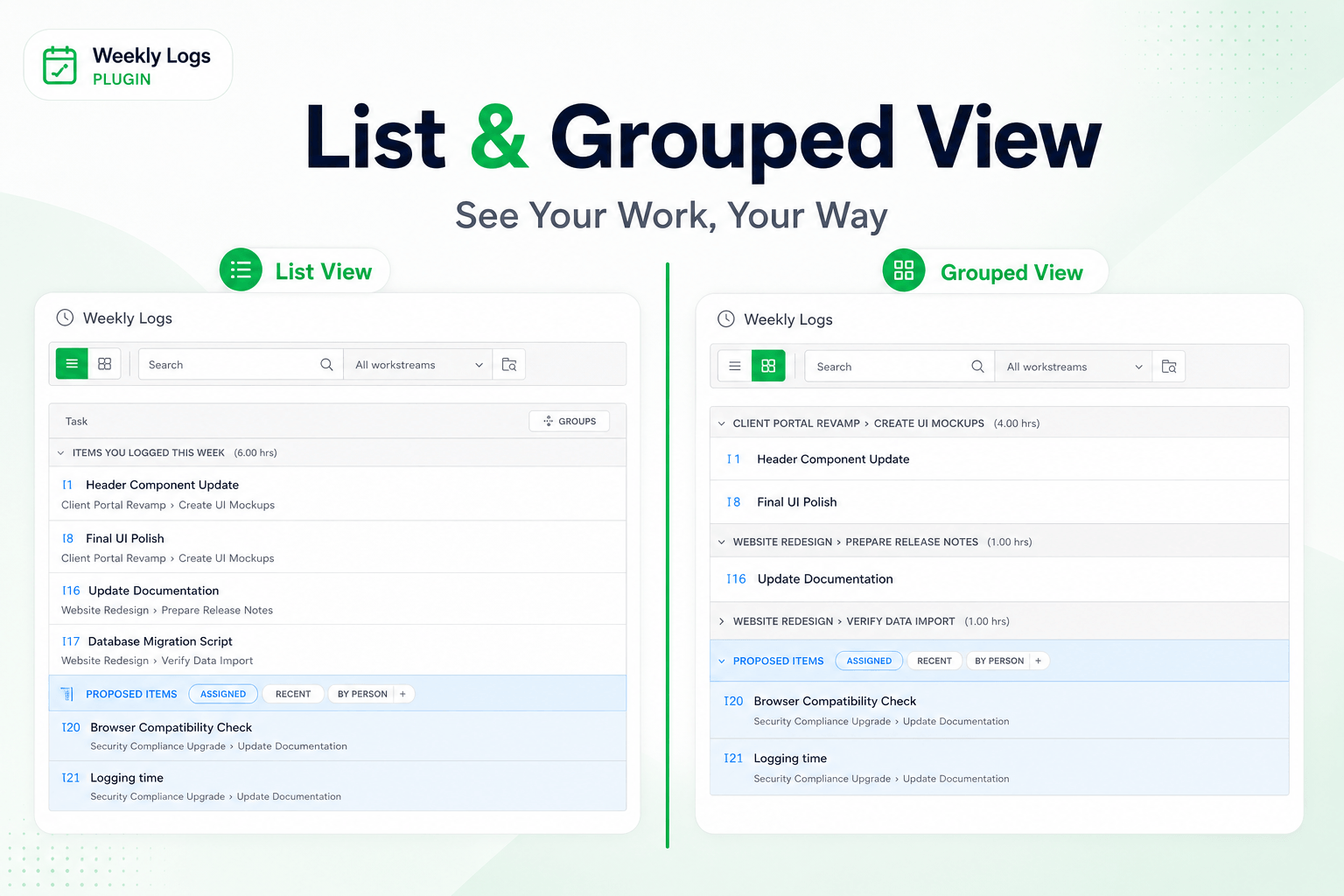
Weekly Logs gives you two ways to look at the same week: List and Grouped. The view toggle sits in the toolbar. Switching views does not change your data — only how it is presented.
List view
List view is the default. Tasks are laid out in a flat list, divided into two sections:
- Items You Logged This Week — tasks you have already entered hours against.
- Proposed items — tasks suggested for you to log against.
Use list view when you want a straightforward timesheet and need to move through your entries quickly.
Grouped view
Grouped view organises the same tasks by workstream path. Tasks are clustered under their workstream hierarchy, so you can see where your time is distributed across different areas of work at a glance.
Each workstream group is collapsible. Collapse the ones you are done with to keep the grid focused.
Use grouped view when your work spans multiple projects or folders and you want to review time by area rather than as a flat list.
Switching views
Click the view toggle in the toolbar to switch between List and Grouped. The toggle is available at all times and takes effect immediately.