Weekly Logs
Navigation & switching weeks
Move between weeks using arrow controls or jump directly to any date with the date picker.
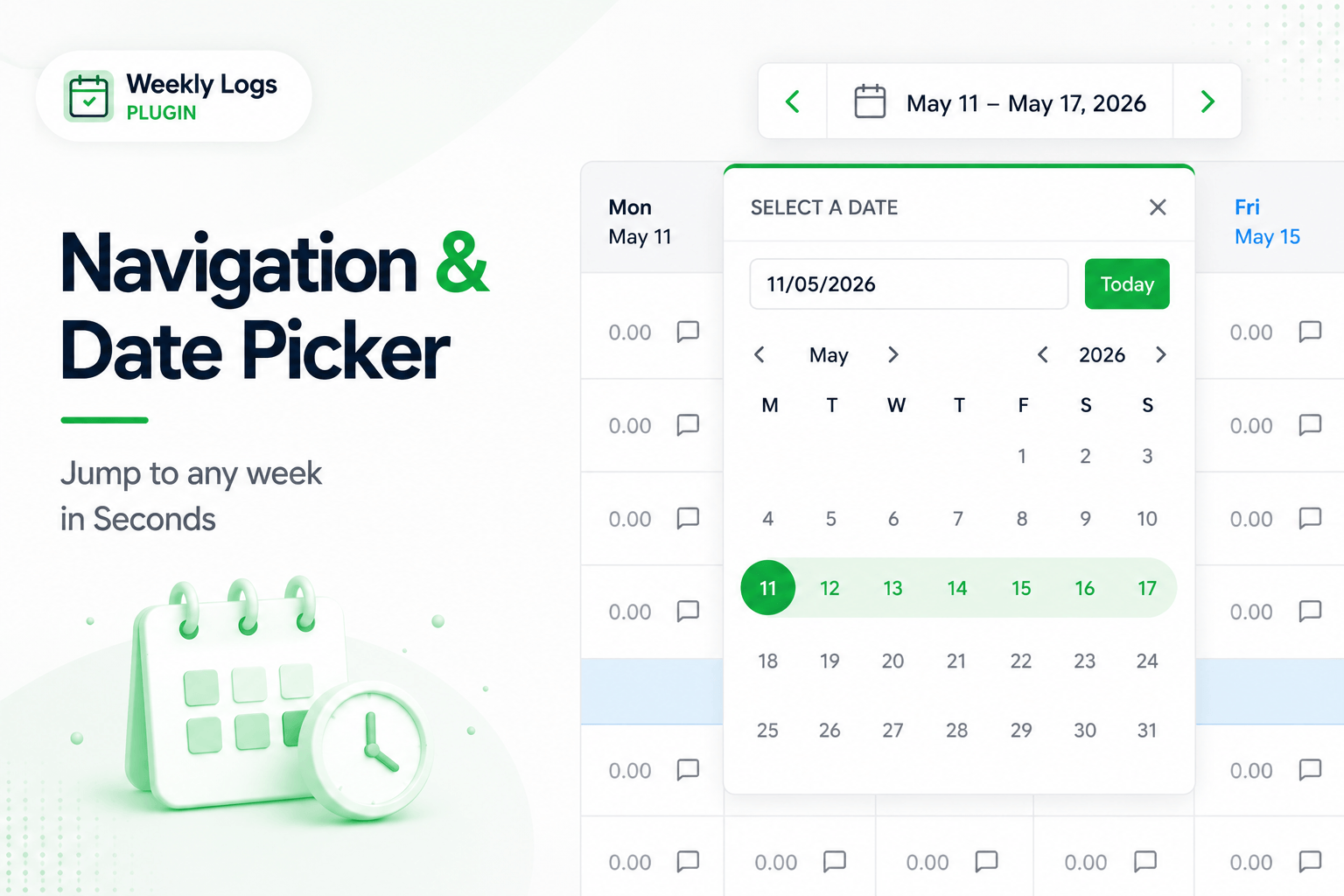
Weekly Logs gives you two ways to navigate between weeks: arrow controls for stepping one week at a time, and a date picker for jumping directly to any point in the year.
Step through weeks
The current week is always visible in the toolbar, displayed as a date range — for example, May 11 – May 17, 2026.
- Click the left arrow to go to the previous week.
- Click the right arrow to go to the next week.
Each click shifts the grid by one week and the date range updates to match.
Jump to any week
When you need to navigate further — to a past week for a correction, or a future week to plan ahead — click the date range in the toolbar to open the date picker.
- The calendar opens on the current month.
- Use the arrow buttons to navigate between months, or step through years to go further back or forward.
- You can also type a date directly into the input field in DD/MM/YYYY format — the calendar jumps to that month automatically.
- Click any date. The grid moves to the start of that week.
Week anchoring
Weekly Logs always anchors to the full work week. Any date you select lands you on the Monday of that week — not the specific day you clicked.
Return to the current week
If you have navigated away from the current week, click Today inside the date picker to jump straight back.