Meetings
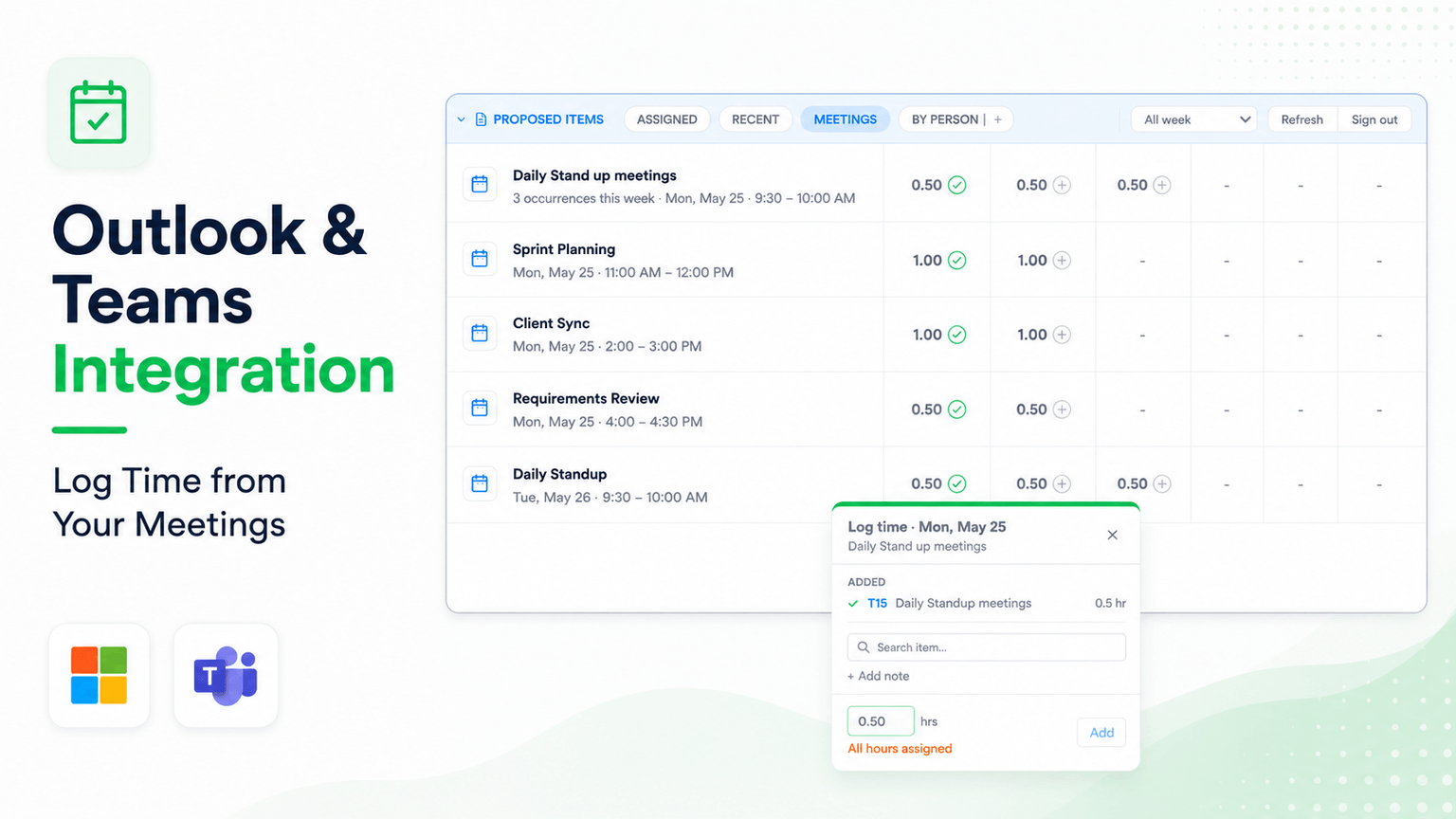
Logging time for meetings has always been a manual process. The Meetings integration pulls your Outlook calendar and Microsoft Teams call history directly into your timesheet so you can log against them without any copy-pasting.
Sign-In
The first time you open the Meetings tab, Weekly Logs needs access to your Microsoft account.
- In the Proposed Items section, click the Meetings tab.
- A sign-in prompt appears — click it and choose your work account from the popup.
- Once authenticated, the tab loads your calendar events for the current week.
After the initial sign-in your session is remembered, so subsequent visits open the tab directly.
What Appears in the Tab
The Meetings tab shows all calendar events & Call logs for the week pulled from your Outlook calendar & Teams:
- Meetings and calls — Both scheduled calendar events and Microsoft Teams calls.
- Public holidays — Any public holidays on your calendar appear here, with 8 hours pre-filled.
- Leave days — If a leave event is in your calendar, it shows up just like any other entry.
Recurring Meetings
Recurring meetings are grouped into a single row, with each occurrence shown across the relevant day columns. This gives you a full-week view of a repeating meeting in one glance rather than one row per occurrence.
Log Time from a Meeting
- Find the meeting row in the Meetings tab.
- Click the + on the day cell you want to log against.
- A panel opens with the meeting title and duration already filled in.
- Search for the task, select it, and confirm — the entry is added to your timesheet immediately.
Split a Meeting Across Multiple Tasks
Sometimes a meeting covers more than one area of work. You can distribute a meeting's time across as many tasks as needed.
- Click + on the meeting cell and log the first portion of time against one task.
- Click + on the same cell again and log the remaining time against another task.
- Repeat for any additional tasks.
The total logged does not have to match the meeting duration exactly — log what reflects the actual work done.
Log Multiple Meetings to the Same Task
You can add entries from different meetings to the same task. Each log is captured separately, so the task accumulates the combined hours while still keeping a clear record of which meeting each entry came from.