Understanding Board Views
Understanding DevStride Board Views
DevStride Boards offer three distinct views to manage and visualize work items: Status View, Table View, and 2D View. Each view has its unique benefits and capabilities, designed to cater to various project management needs.
Status View
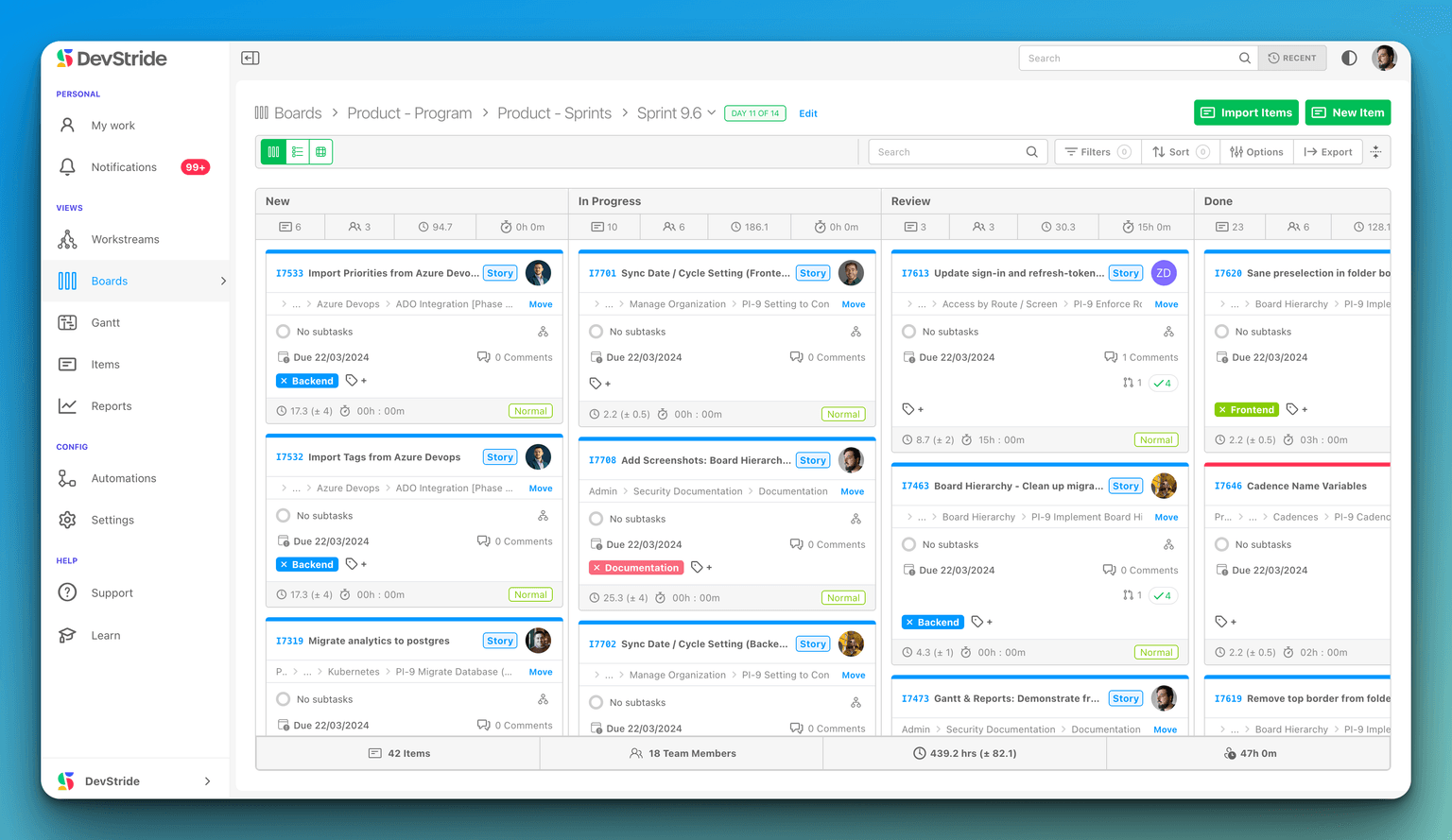
Benefits:
- Visual Workflow: Allows users to visualize the workflow with work items displayed as cards across different columns, each representing a stage of the process.
- Drag-and-Drop: Easily move work items between stages with a simple drag-and-drop action, facilitating swift status updates.
Capabilities:
- Custom Columns: Customize columns to match your team's workflow stages.
- Progress Tracking: Monitor the progress of each item as it moves from one stage to the next.
Table View

Benefits:
- Detailed Overview: Get a detailed list view of all work items with key information displayed in a tabular format.
- Easy Sorting and Filtering: Sort by different criteria and apply filters for a streamlined view of specific items or tasks.
Capabilities:
- Column Customization: Choose which columns to display for tailored information visibility.
- Bulk Actions: Perform actions on multiple items at once, such as updating status or reassigning tasks.
2D View

Benefits:
- Multidimensional Analysis: View work items on two axes, such as by status and assignee, to identify distribution and balance of work.
- Gap Identification: Easily spot any disparities or workload imbalances among team members or stages.
Capabilities:
- Flexible Axes Selection: Select which fields to use on the x and y axes to analyze the data from different perspectives.
- Comprehensive Insight: Offers a birds-eye view of the project's status and team workload, all in one screen.
Organize rows or columns by Persona
Choose Persona in either the Rows or Columns control above the 2D board. For example, use Persona rows and Status columns to see the work planned for Engineers, QA Analysts, and other specialties. Grouping uses the persona chosen on each item, rather than all the personas its assignee can perform.
Dragging an item into a different persona group changes its chosen persona. A compatible assignee stays assigned; an assignee who cannot perform that persona is cleared, leaving work planned for the persona and waiting for a person. The same assignment permissions still apply.
Each view serves a unique purpose in project management:
- Use the Status View for a clear visual representation of the project's workflow.
- Opt for the Table View when you need to manage the details of multiple items simultaneously.
- The 2D View is ideal for analyzing workload distribution and project status at a glance.
Experiment with each view to find the most efficient way for your team to manage and interact with work items in DevStride.