Creating Subfolders in DevStride
When to nest
Create a subfolder when a smaller group plans its own work but reports into a larger one — squads under a program, teams under a department. The parent's members can browse down into every subfolder; the subfolder inherits the parent's permissions, which you can then tighten or widen on the subfolder itself.
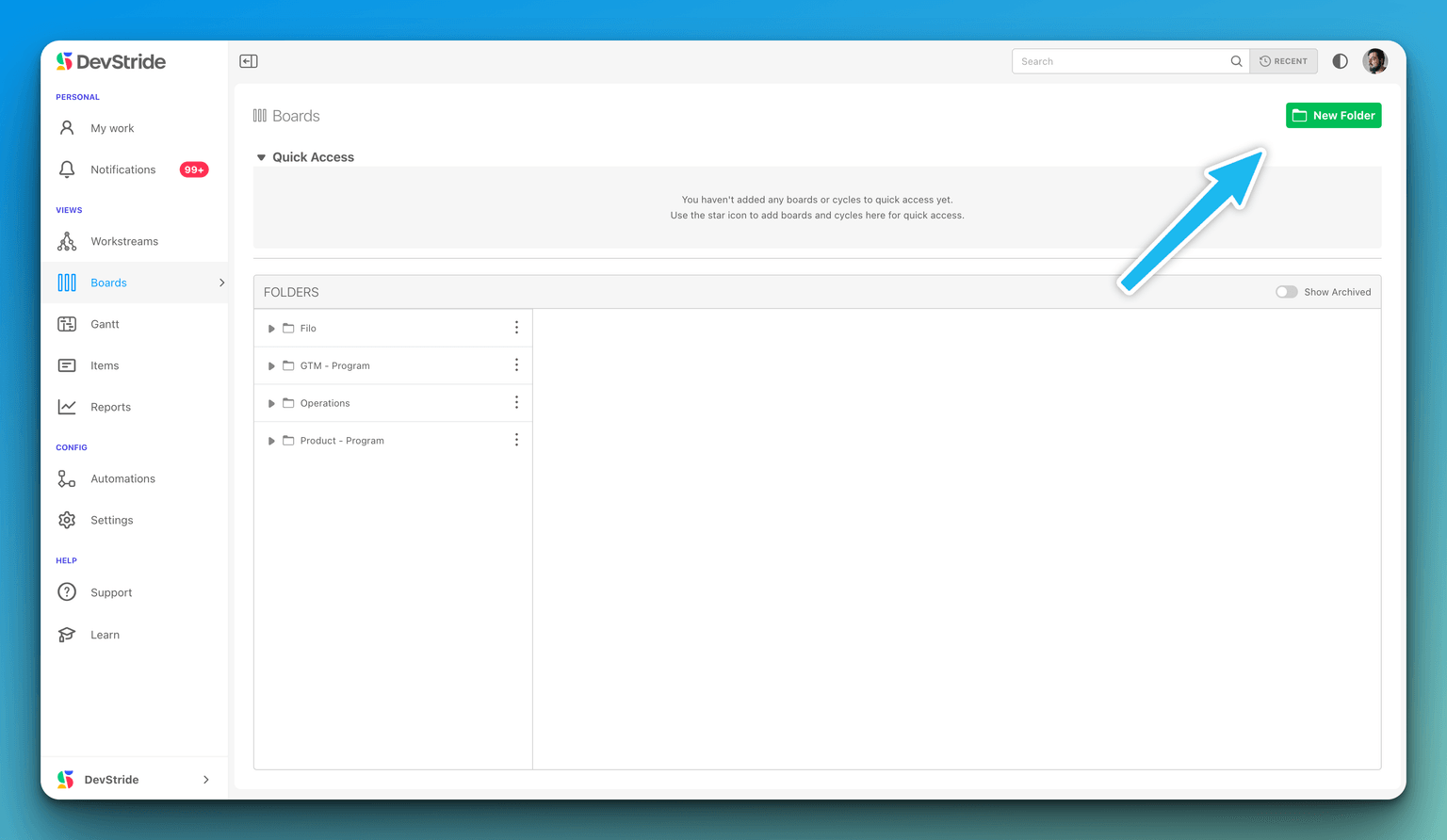
If the group is independent, make a root folder instead (see Adding a folder).
Create a subfolder
- In Plan Delivery, find the parent in the folder browser.
- Right-click it (or click its kebab, Folder options) and choose New Folder. You need Editor access on the parent.
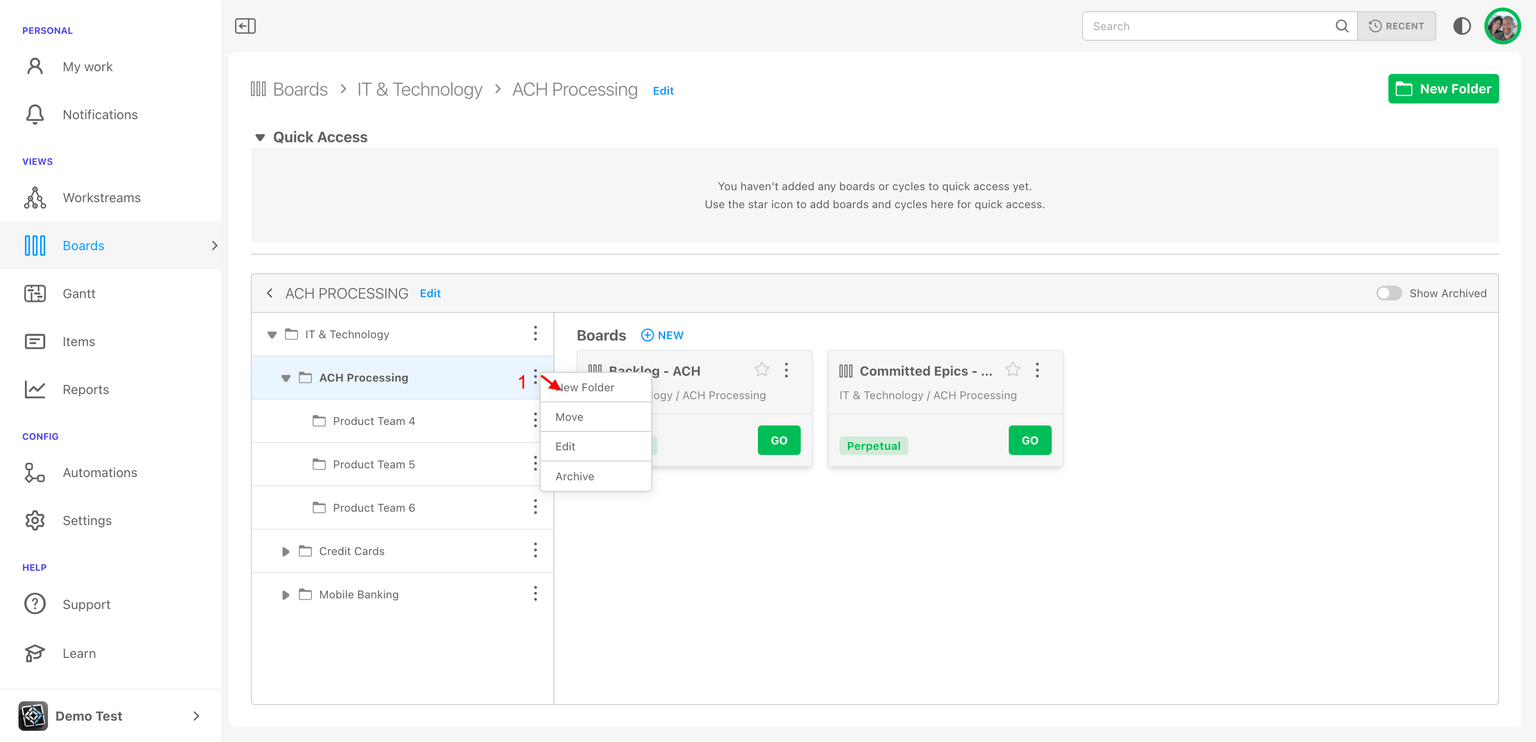
- The New Folder dialog opens with Parent Folder already set. Enter a Name (at least 3 characters).
- Set the Configuration toggles — Can contain boards, Can contain cycles — and, for cycles, the Cadence for Cycles, Status Collection for Cycles and optional Default Team for Cycles. The fields are the same as for a root folder; see Adding a folder.
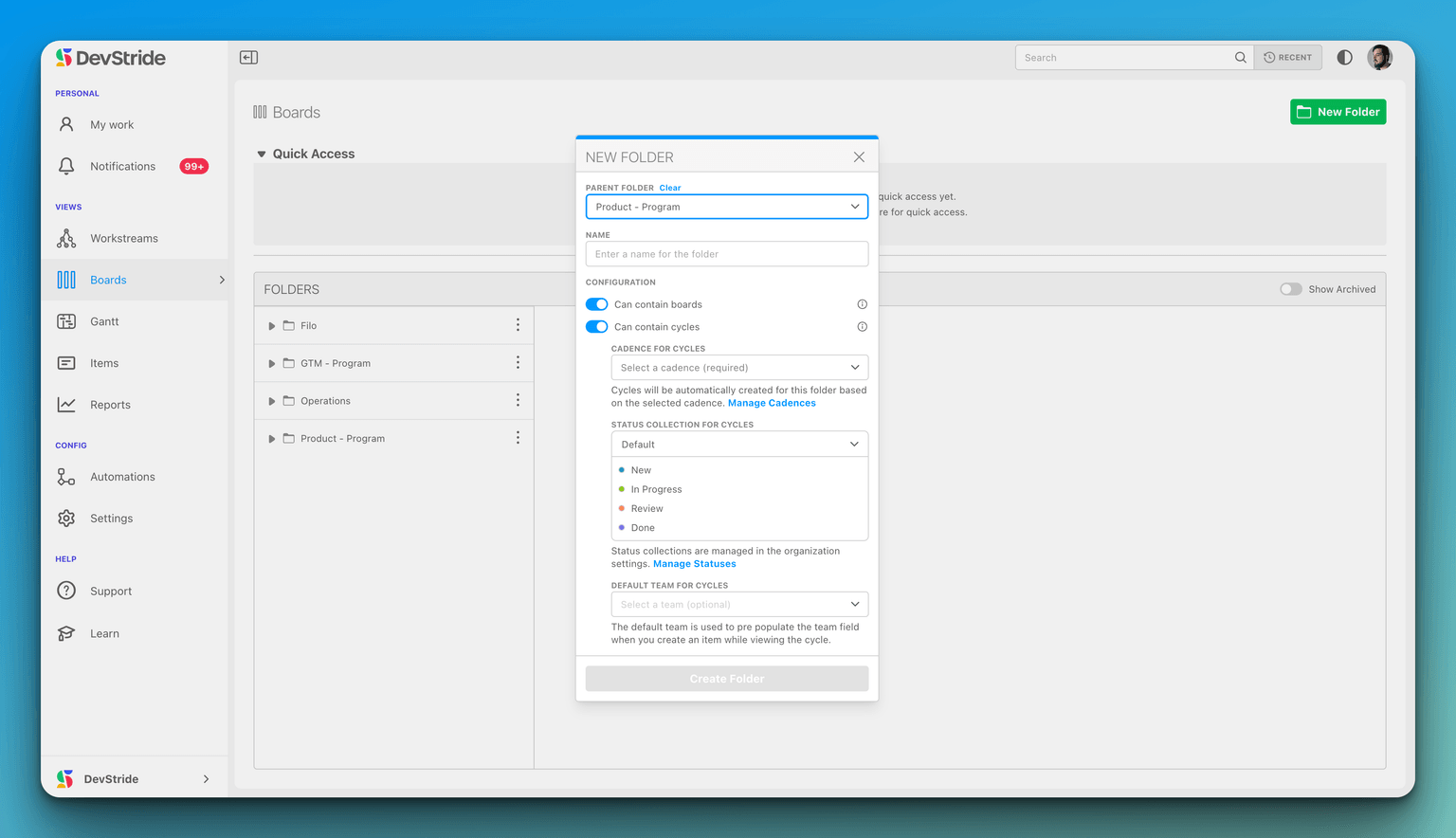
- Click Create folder.
There is no Visibility choice for a subfolder. The dialog notes Folders inherit permissions from the parent folder — adjust access afterwards from the folder's Permissions menu if needed.
Where the subfolder appears
- Folder browser: indented under its parent; expand the parent's caret to see it.
- Breadcrumb: the path now reads Plan Delivery › Parent › Subfolder.
- Quick Access: click the subfolder's star to pin it.
Moving a folder
To re-parent a folder later, right-click it and choose Move, then pick the new Parent Folder (clear it to make the folder a root). You need Editor access on both the folder and the new parent, and a folder cannot be moved under one of its own descendants. Moving re-applies the new parent's inherited permissions to the folder and everything in it.
Manage and Edit Dependencies
Record what blocks what from a board card, read the Relationships dialog, and see dependency lines — including other teams' work — on the 2D board view.
Setting up and Using Perpetual Boards
Create an evergreen board for a queue of ongoing work, fill it with items, run it day to day, and keep it clean with archiving or an automation.