2024-12-20
New Features
Automation & AI
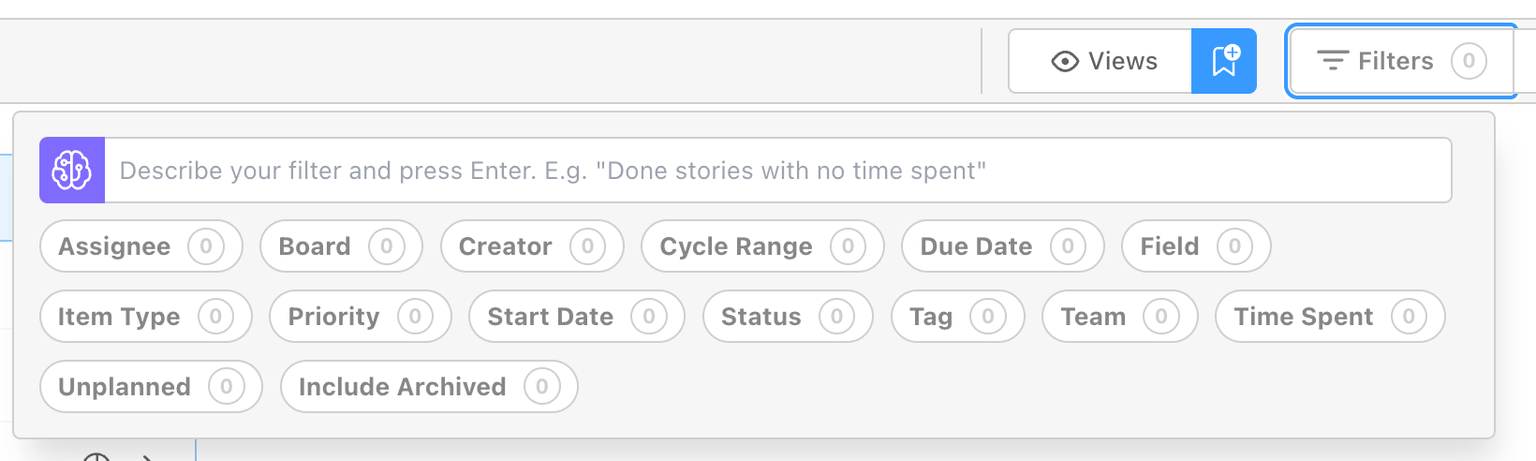
AI Prompt for Filters:
You can now use AI to filter results by simply entering a text prompt. In addition to manually selecting filters, you can provide an AI-driven prompt that will automatically choose the appropriate filters for you.
Automation Enhancements & Action Chaining:
- New Trigger: Item Request Submitted – Automatically initiates workflows when a new item request is created.
- New Actions: Create Subtasks and Create Relationships – Easily break down work into smaller tasks and define meaningful connections between items.
- Additional Capabilities: Assign Watchers, Set Dynamic Values, and Specify Start Dates – Add even more precision and customization to your automated processes.
Relationships & Dependencies
Expanded Relationships Functionality:
In addition to creating dependencies, users can now add “dependents” and “related to” relationships, providing greater visibility into potential bottlenecks and improving overall visibility for relationships.
Relationships Graph Implementation:
Visualize item relationships with the new relationship graph, helping teams identify bottlenecks, understand upstream and downstream effects, and optimize project planning.
Integrations & API Enhancements
Integrations with Jira and ADO:
Seamlessly connect DevStride with Jira and Azure DevOps. Sync items, statuses, and updates across platforms, ensuring your team can work consistently and efficiently, regardless of their preferred tool.
Add Description as an option when Exporting items:
Enrich your exported data with the description field, providing additional context and making external data analysis more meaningful.
New Theme
We’ve introduced a new “Mocha” theme, offering more options in addition to the existing themes.
Bug Fixes
Improved Breadcrumb Navigation & Item Selector:
Resolved an issue where breadcrumbs could lead to incorrect map locations. Additionally, breadcrumbs are now view-only when using selectors, preventing unintended clicks and ensuring that selections remain focused on the intended items.