Plan Delivery: Boards
Creating Subfolders in DevStride
Creating Subfolders in DevStride
This guide explains how to create subfolders within a project in DevStride, which can be used to organize your boards and cycles effectively.
Step 1: Access the Project Area
- Navigate to the Boards section from the left sidebar.
- Click on the project for which you want to create a subfolder. For example, "Product Program".
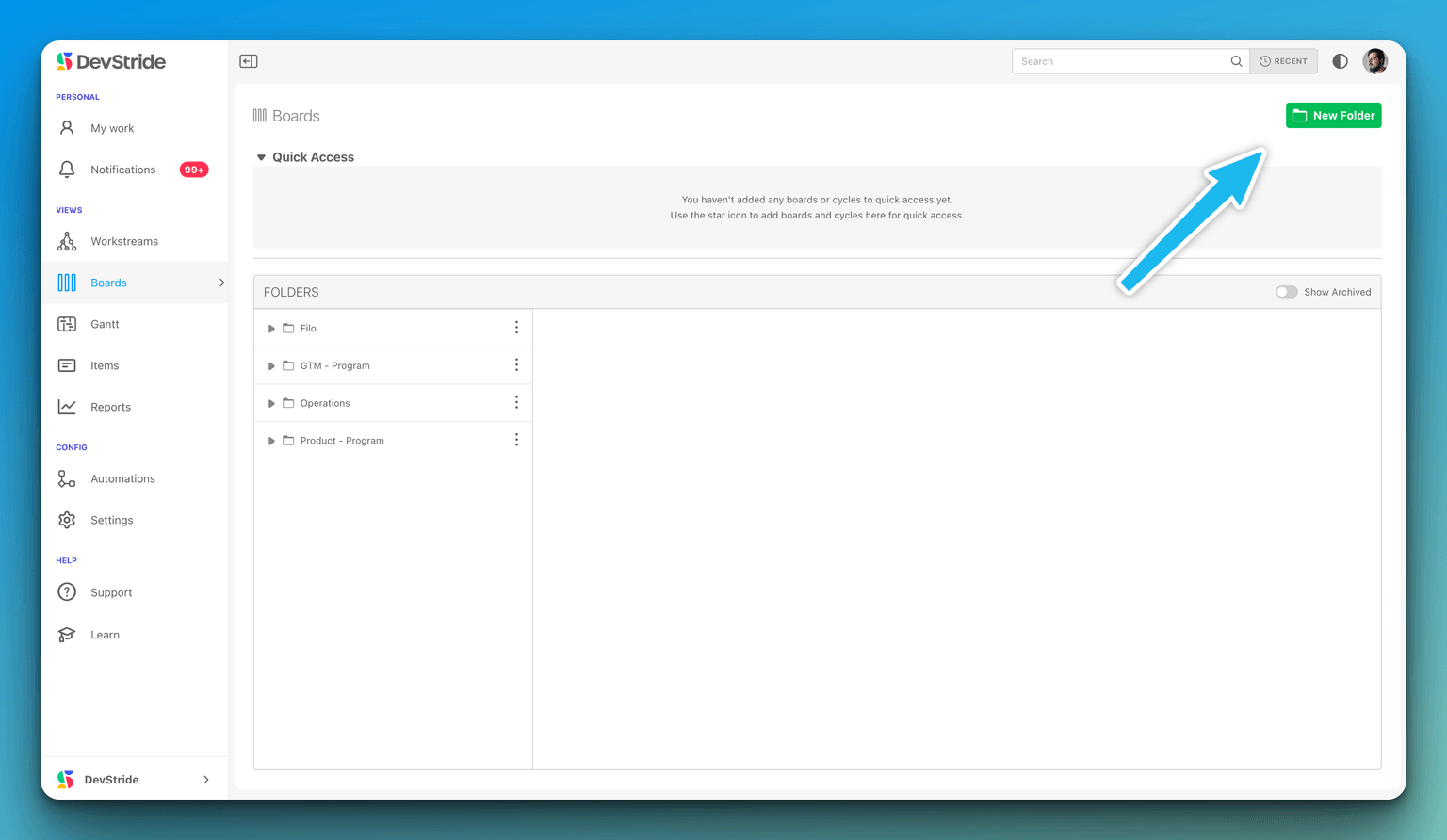
Step 2: Open the Folder Creation Dialog
- Inside the project, locate and click on the green New Folder button on the top right corner of your screen.
Step 3: Configure the New Subfolder
- In the NEW FOLDER dialog box, start by selecting a Parent Folder if you want to create a nested subfolder.
- Give your subfolder a Name that represents the content or the purpose of the subfolder.
Step 4: Set Folder Properties
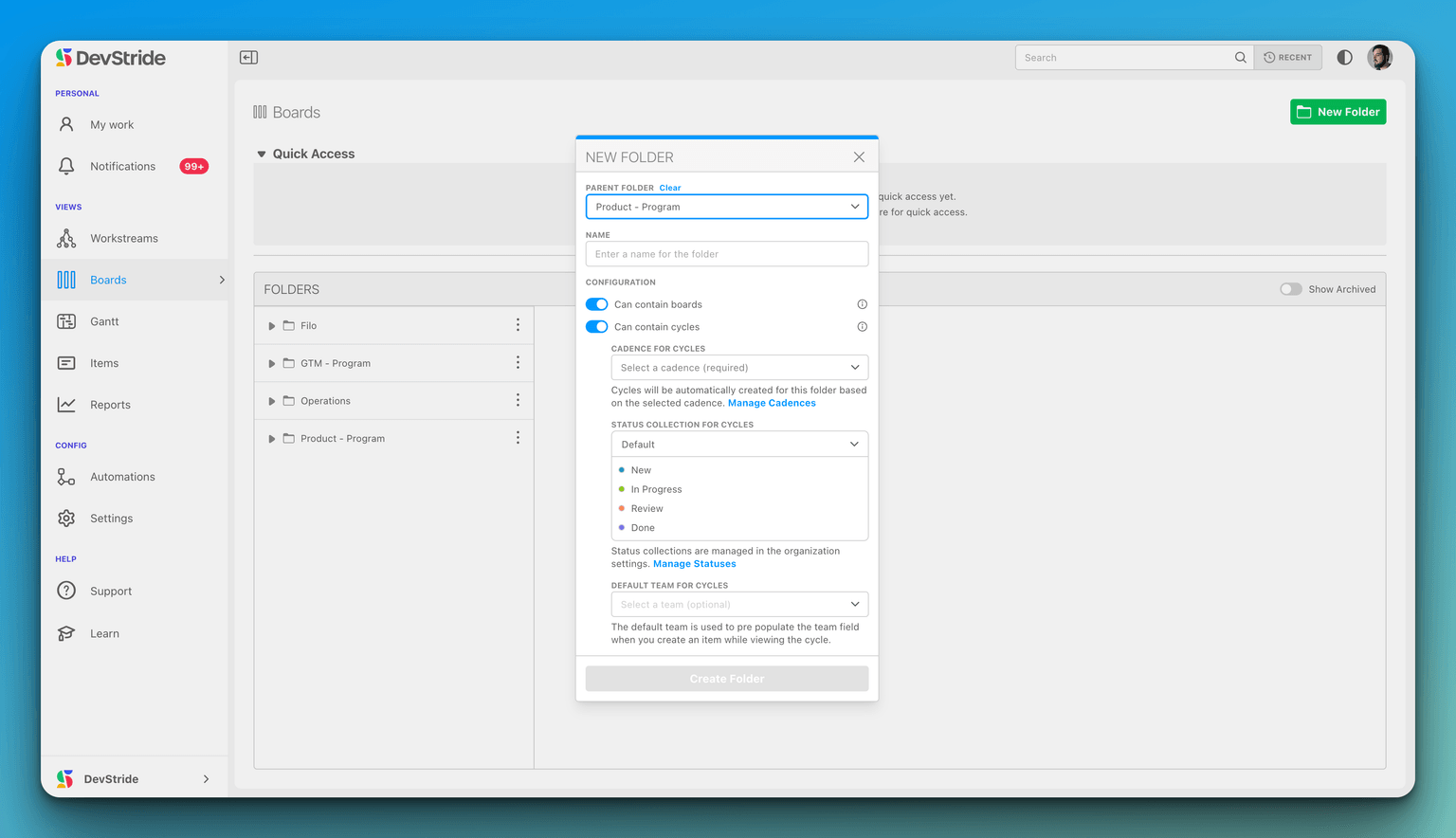
- Toggle the switch Can contain boards if the subfolder should hold boards.
- Toggle the switch Can contain cycles if the subfolder should organize sprints or cycles.
- Select a Cadence for cycles if applicable.
- Choose the Status Collection for Cycles from the dropdown to set the default statuses for items within the cycle.
Step 5: Create the Folder
- Click the Create Folder button to finalize the creation of the subfolder.
How Subfolders Appear in the System
Once a subfolder is created, it will appear in the main project area. The appearance is as follows:
In the Sidebar Navigation
- The new subfolder will be listed under the parent folder, indented to indicate its hierarchy.
- An icon next to the subfolder name indicates if it can contain boards or cycles.
In the Project Overview
- The subfolder will also appear in the main content area of the project.
- It will display next to existing folders or boards, with the option to expand or collapse to view contents.
In the Quick Access Section
- You can star your subfolder for it to appear in the Quick Access area for easier navigation.
By following these steps, you can efficiently create subfolders and keep your project space organized and accessible.
Note: The appearance and steps mentioned may vary based on the DevStride version or specific configuration set by your organization.