Admin Onboarding - Item Workspace - Right Bar: Point Estimates
Item Workspace Tour: Right Bar Features continued - Effort Point Estimates
Point estimates are another key piece of the data model if you choose to use them. They are a powerful way to manage work.
If you are not familiar with point estimates, see the summary below.
Some types of work benefit greatly from the concept of point estimation.
Estimation of effort helps teams assess if planned work is reasonable or not. As a general rule, there are 2 types of estimation, Effort and Time. We will discuss Effort estimation here:
Effort Points
Effort points is an arbitrary measure that the team agrees on and is relative to the team who is doing the estimation. This is critical to interpreting effort points correctly. Different teams are comprised of different levels of expertise, and what might represent one level of effort for one team is different for another team.
Effort points are often represented by the idea of numbers (such as 1-low, 5-medium 10-large, or by employing a Fibonacci scale of 1, 2, 3, 5, 8, etc.). Whatever method is used, remember that estimates are relative to each team, so one team's "3" shouldn't be compared to another team's "3."
It's also important to note that effort points aren't meant to approximate back to a certain number of days or hours. Again, they are a relative measure of effort.
Effort points are especially valuable when you don't yet know who is going to do the work. A task that is estimated to be larger effort - say an "8" - that is assigned to a senior person will take less time than for a junior person assigned to the same task.
When you do know who will do the work, time estimation tends to be more helpful.
See our Project Management Principals and Best Practices articles for more information on best practices with Point Estimation.
How to Do It
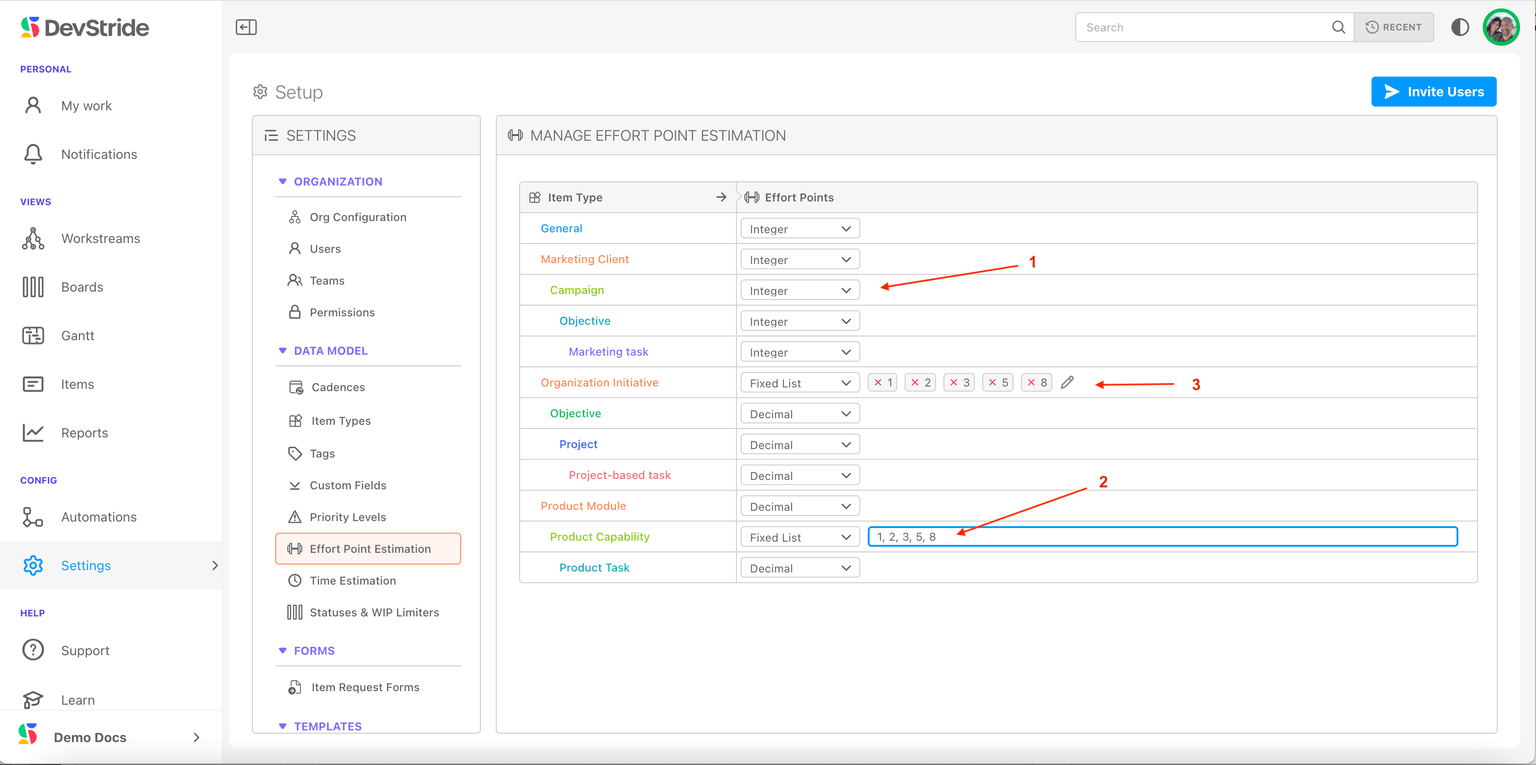
To set up Effort Point options, go to Settings > Data Model > Effort Point Estimation.
Your item types hierarchies will be displayed here under the Manage Effort Board Estimation panel.
You can set up the effort point estimation scale you prefer for each type, or can choose to disable estimation for any or all types. Once you set up your scale in Settings, these options are available to you in Items for their corresponding item type.
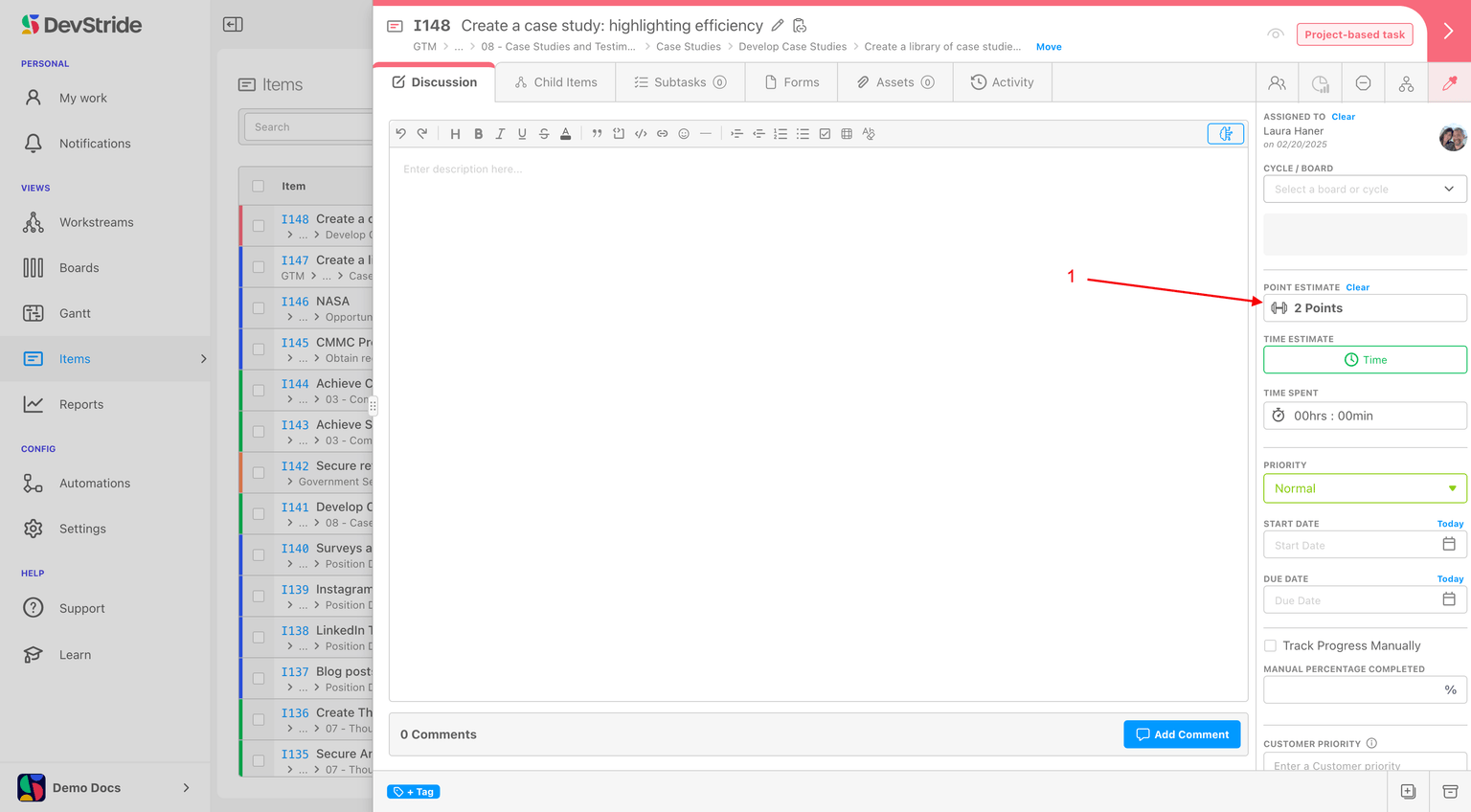
How to See Effort Points in DevStride
Effort points are displayed here on the item (1).
Effort points can be used in filters, tables, reports and analytics throughout DevStride.
Continue to tour the features on the right bar of the item workspace: