Enabling Service Desk
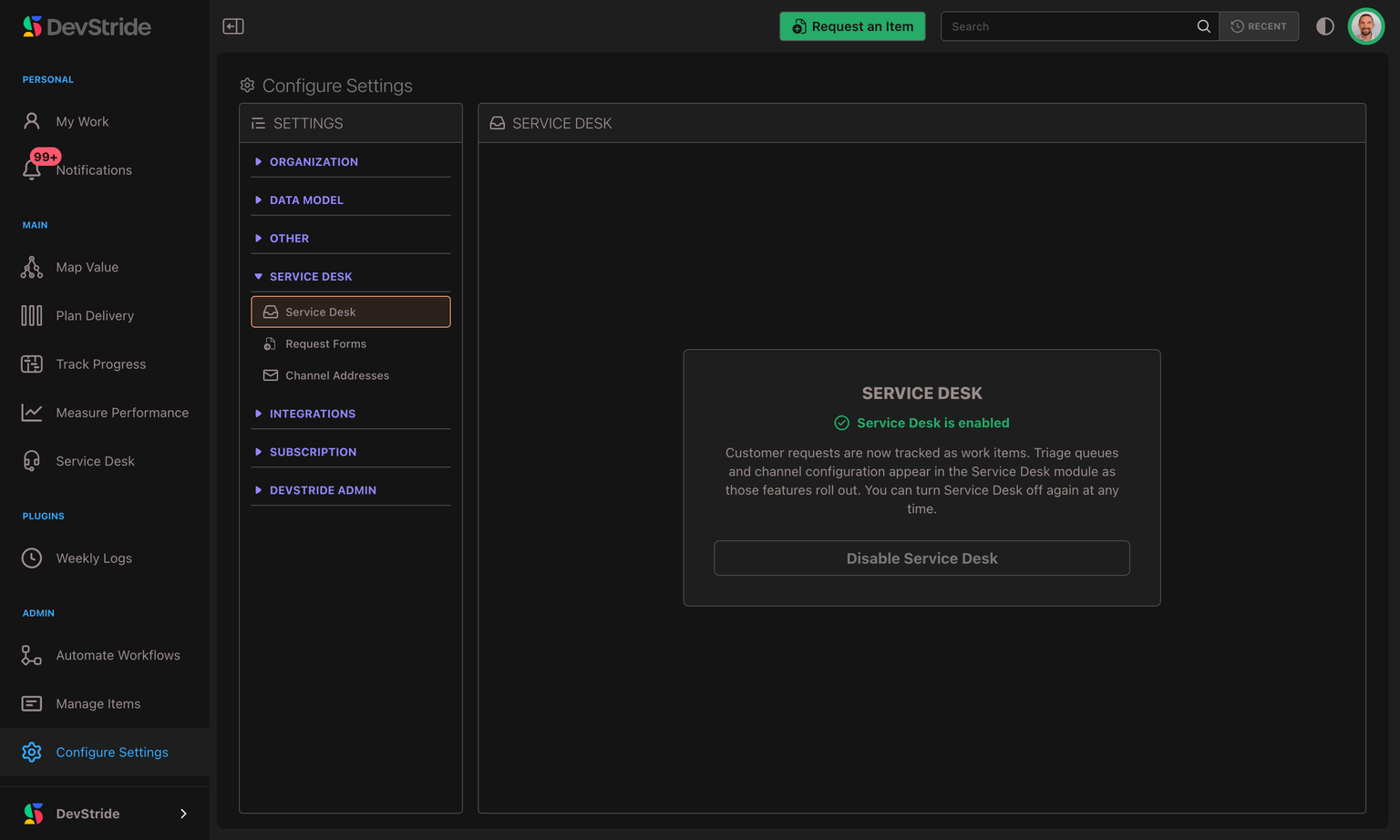
Service Desk is an opt-in module. Until an administrator enables it, the Service Desk nav item and its settings stay hidden. Turning it on is a single, reversible switch.
Turning it on
- Open Settings from the bottom of the left-hand sidebar.
- Select Service Desk.
- On the Service Desk panel, click Enable Service Desk.
- Confirm in the dialog. Enablement is instant — no rebuild or sign-out needed.
You can also enable it straight from the module: clicking Service Desk in the sidebar before it's on shows a short "Service Desk isn't enabled" page with an Enable Service Desk button for administrators. (Members without the settings permission see a note asking them to contact an administrator instead.)
What enabling switches on
Once enabled, the organization gains:
- The Service Desk module in the sidebar, with its Inbox, Suspended, Requesters, and Companies tabs.
- The Settings → Service Desk area, where you manage Channel Addresses, Request Forms, Schedules, SLA Policies, and your default business schedule.
- Ticket fields on work items — a Requester, a separate Customer description, and the Reply to customer / Internal note distinction on comments.
- Two saved views in the Inbox — All open requests and Unassigned — to triage from on day one.
- One automation: close tickets that have been Solved for 4 days, emailing the requester when it closes theirs. It's an ordinary automation on the Automate Workflows page — edit the 4-day threshold, add conditions, pause it, or delete it. It runs immediately for a brand-new desk; if you're re-enabling a desk that already has tickets, it arrives paused so you can review it before it touches your backlog. See Time-Based Ticket Automations.
Nothing starts receiving email yet — that begins only after you create a channel address and forward your inbox to it. See Email Channels & Setup.
Turning it off
On the same Settings → Service Desk panel, click Disable Service Desk and confirm. The confirmation now spells out exactly what happens, because disabling does more than hide the module.
Disabling is a safe, reversible switch — your existing tickets, requesters, companies, conversations, and each company's portal settings (its web address, access mode, and branding) are not deleted, so turning Service Desk back on restores everything exactly as it was. While it's off:
- The Service Desk module is hidden and no new tickets are created — inbound email to your channel addresses stops creating tickets.
- Someone who emails a channel address gets a short automatic note saying the address is not accepting messages — at most one a day per sender. No note goes to automatic replies, bounces, newsletters or mailing lists, or to senders you have blocked. If a person reports the note as spam, or their mailbox no longer exists, they get no further notes from you for a year.
- Held messages in the Suspended queue can't be recovered into tickets until you switch Service Desk back on.
- Your customer support portal goes offline immediately. Customers can't open it or sign in, anyone already signed in is turned away on their next action, and any pending sign-in links stop working. Your internal tickets and company settings are untouched, so re-enabling brings the portal back intact — see Customer Support Portal.
Overview
Service Desk turns customer emails into work items your team can triage, reply to, and track — without leaving DevStride. Here's what it is, why it exists, and the handful of ideas that make it click.
Email Channels & Setup
Create a support address, forward your inbox to it, and choose where new tickets land. Plus how replies are threaded, who a forwarded message belongs to, and exactly what happens when you remove a channel.