Admin Onboarding - Setting Up Workflow Statuses
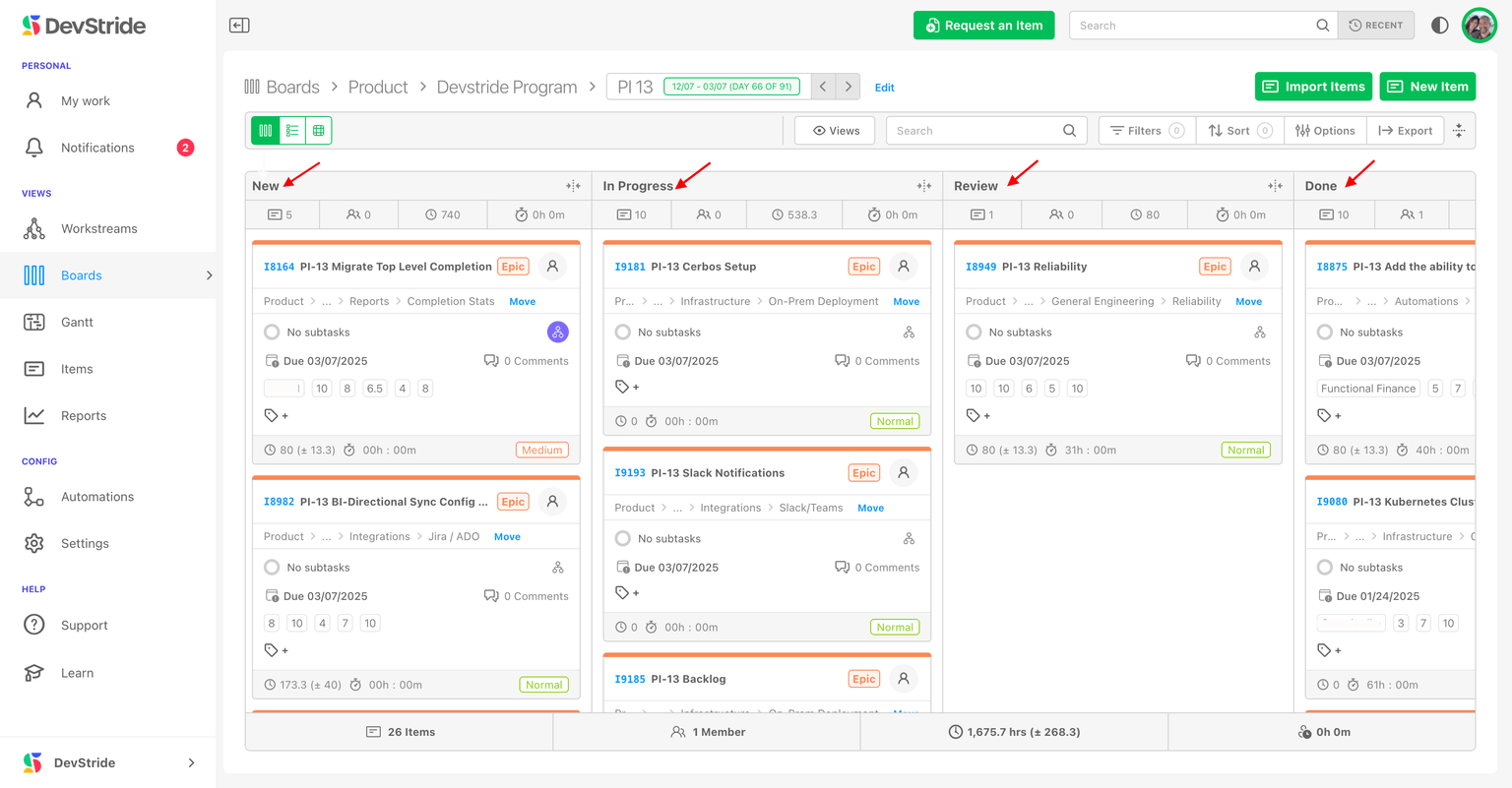
A status is a stage in an item's life: New, In Progress, Review, Done. On a board, statuses are the columns, and moving a card moves the item through its workflow. Statuses come after the item tour and before boards because a board cannot exist without a status collection to draw its columns from.
What is fixed and what is yours
Every organization starts with New, In Progress, and Done. Two of these are system statuses:
- New is always the first column and Done always the last. You can rename and recolour them, but not delete or reorder them. Every collection contains both.
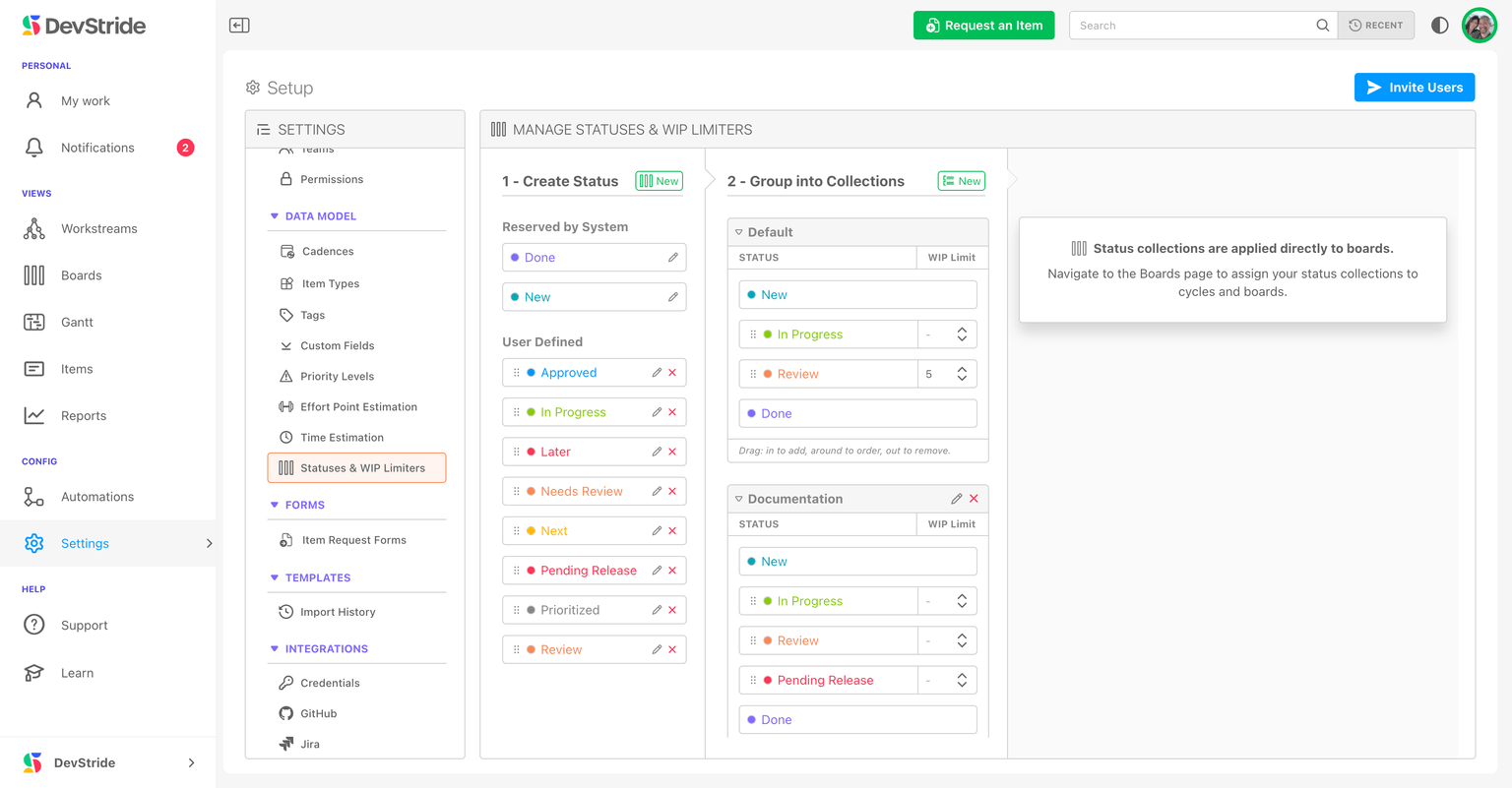
- Everything in between is yours: add as many stages as your workflow needs, named in your team's language.
New and Done are fixed because the whole data model depends on them: progress roll-ups, throughput and cycle-time reports, the Automate New/Done setting, and integrations all key off "entered New" and "reached Done".
Collections: one workflow per kind of board
A status collection is an ordered set of statuses, with an optional WIP limit per status. Collections are assigned to boards, not to item types: every item on a board shares that board's columns, which is what makes the board readable. Different teams can run different collections.
| Team | Collection |
|---|---|
| Most teams | New → In Progress → Done |
| Engineering with review | New → In Progress → Review → Done |
| Marketing | New → In Design → Stakeholder Review → Revisions → Approval Received → Launch → Done |
Boards and dates work for any methodology
Kanban-style boards suit agile teams, but statuses are not only for agile. Date-driven teams get due dates, dependencies, and Gantt charts on the same items, so a waterfall project can run New → Design → Build → Test → Done on a board while its dates live on a Gantt.
Admin Onboarding - Item Workspace - Right Bar: Progress Tracking
Step 7k of admin onboarding — how an item's percent complete is calculated from its direct children, and when to override it manually or track progress by hand on a leaf item.
Admin Onboarding - Create Custom Status Collections
Step 8b of admin onboarding — create statuses, group them into a collection with optional WIP limits, and assign the collection when you create a board.