2025-07-02 and 2025-07-07
🆕 New Features
Time Tracking in Item Drawer
- What's New?
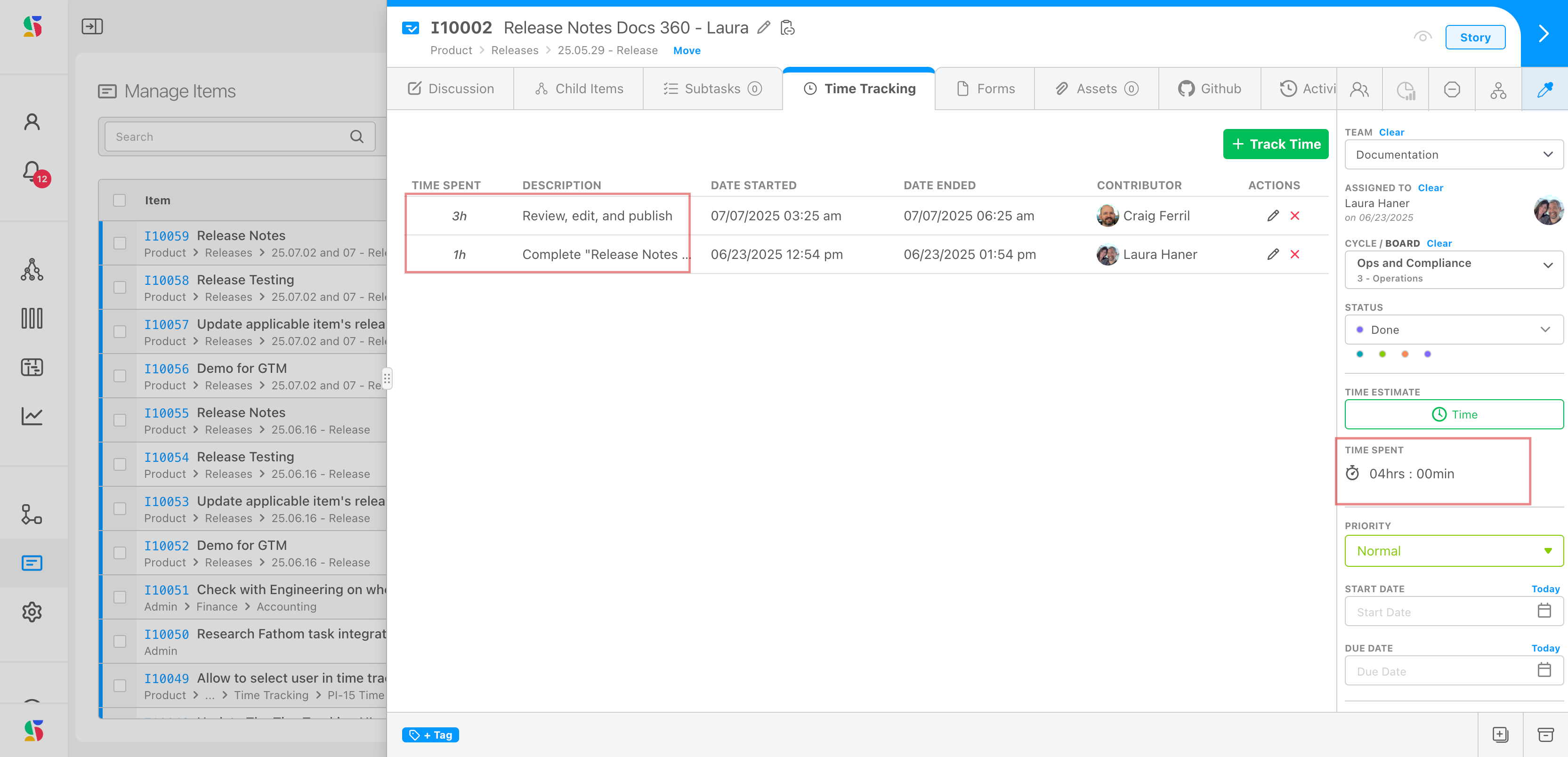
We've introduced a Time Tracking tab in the item drawer. You can now log discrete time entries for multiple working sessions on a single item.
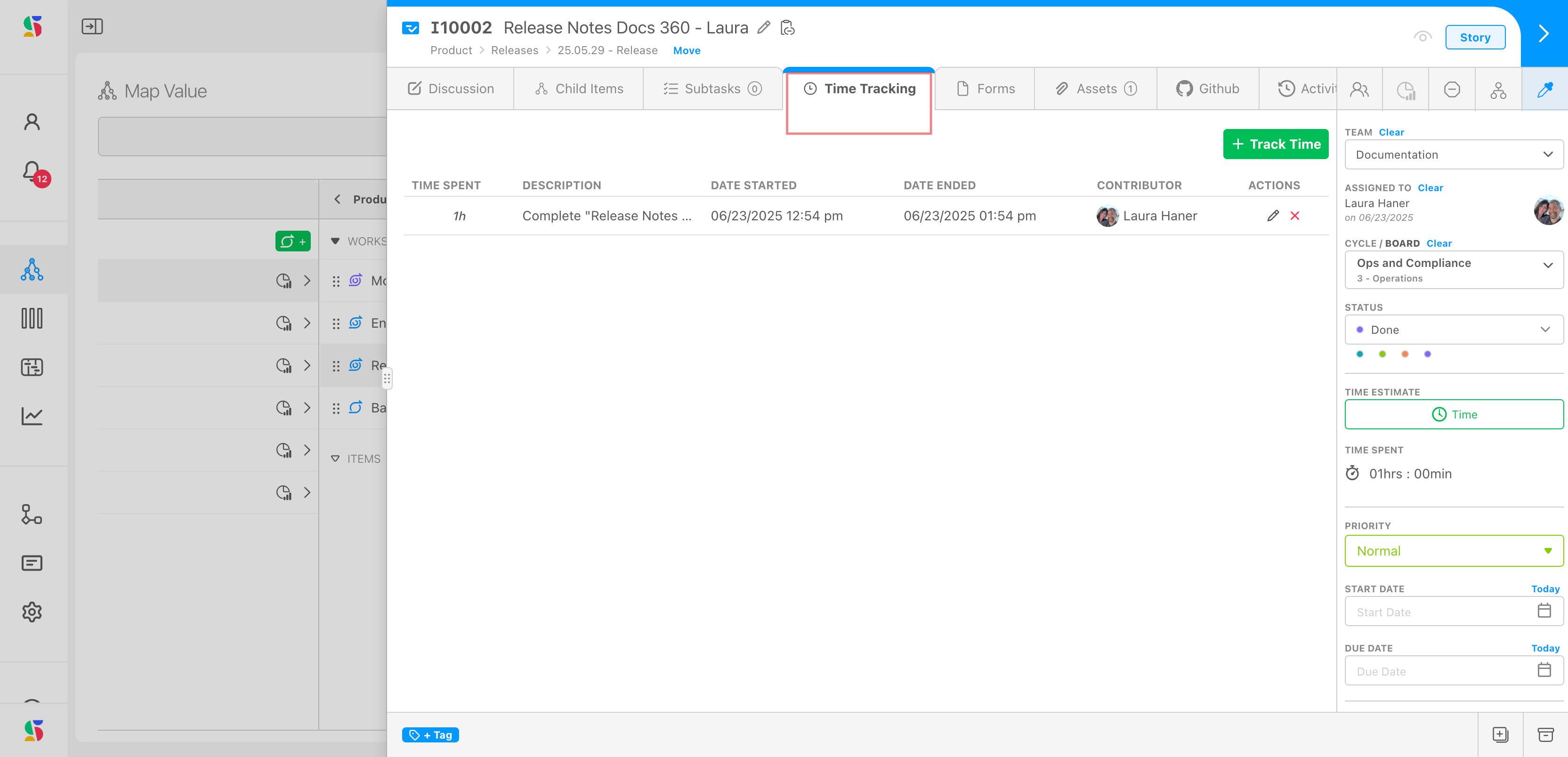
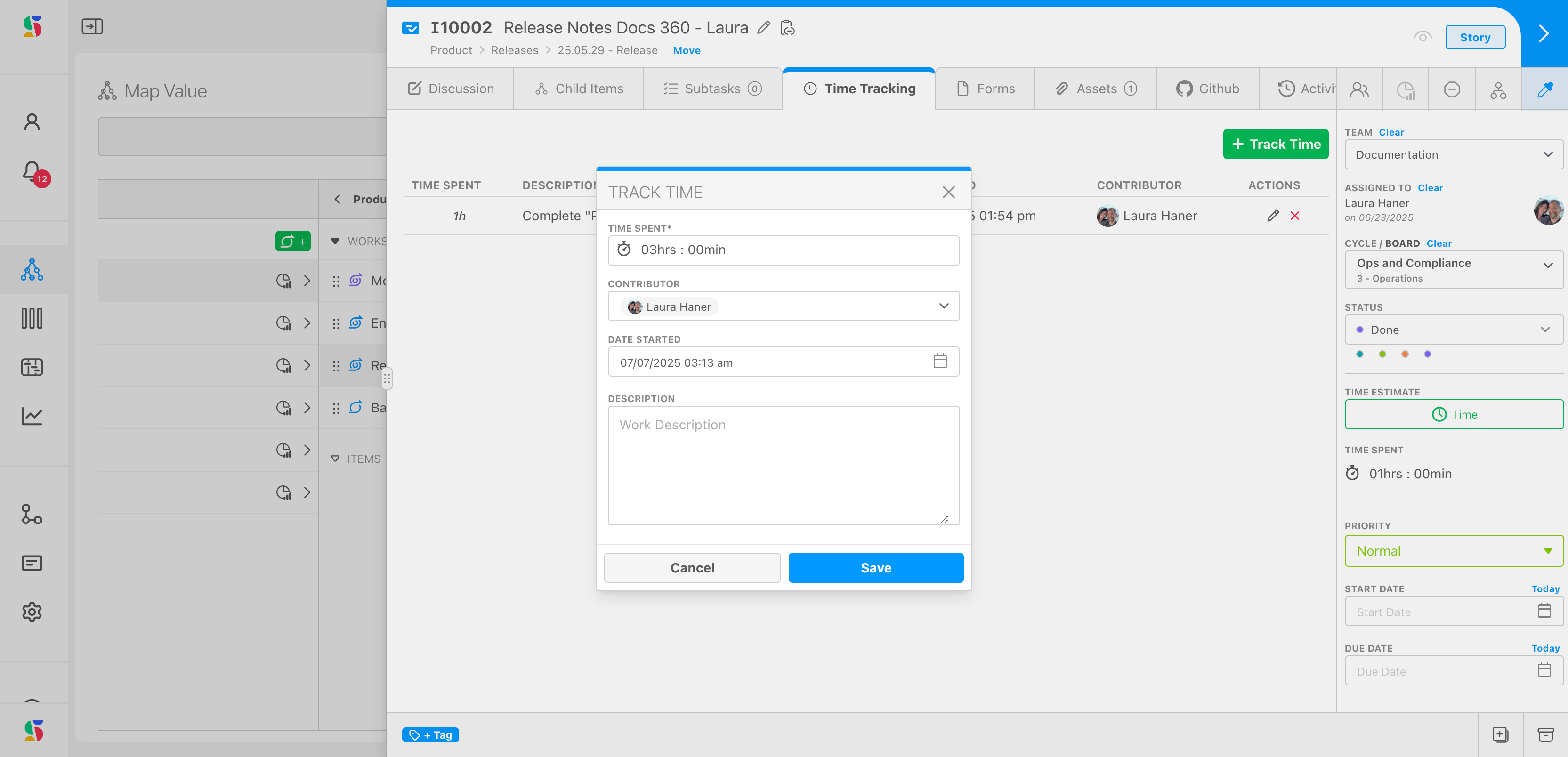
All entries are automatically aggregated in the TimeSpent field, giving you a clear, real-time view of total effort.
- Why It Matters
This feature enables accurate tracking for hourly billing and time-based reporting. Let us know what reporting capabilities would help you make the most of this enhancement.
- What's New?
We've improved the Time Entry form to give you more flexibility. By default, time entries will still be assigned to the user who logs them — but now you can choose a different contributor when needed.
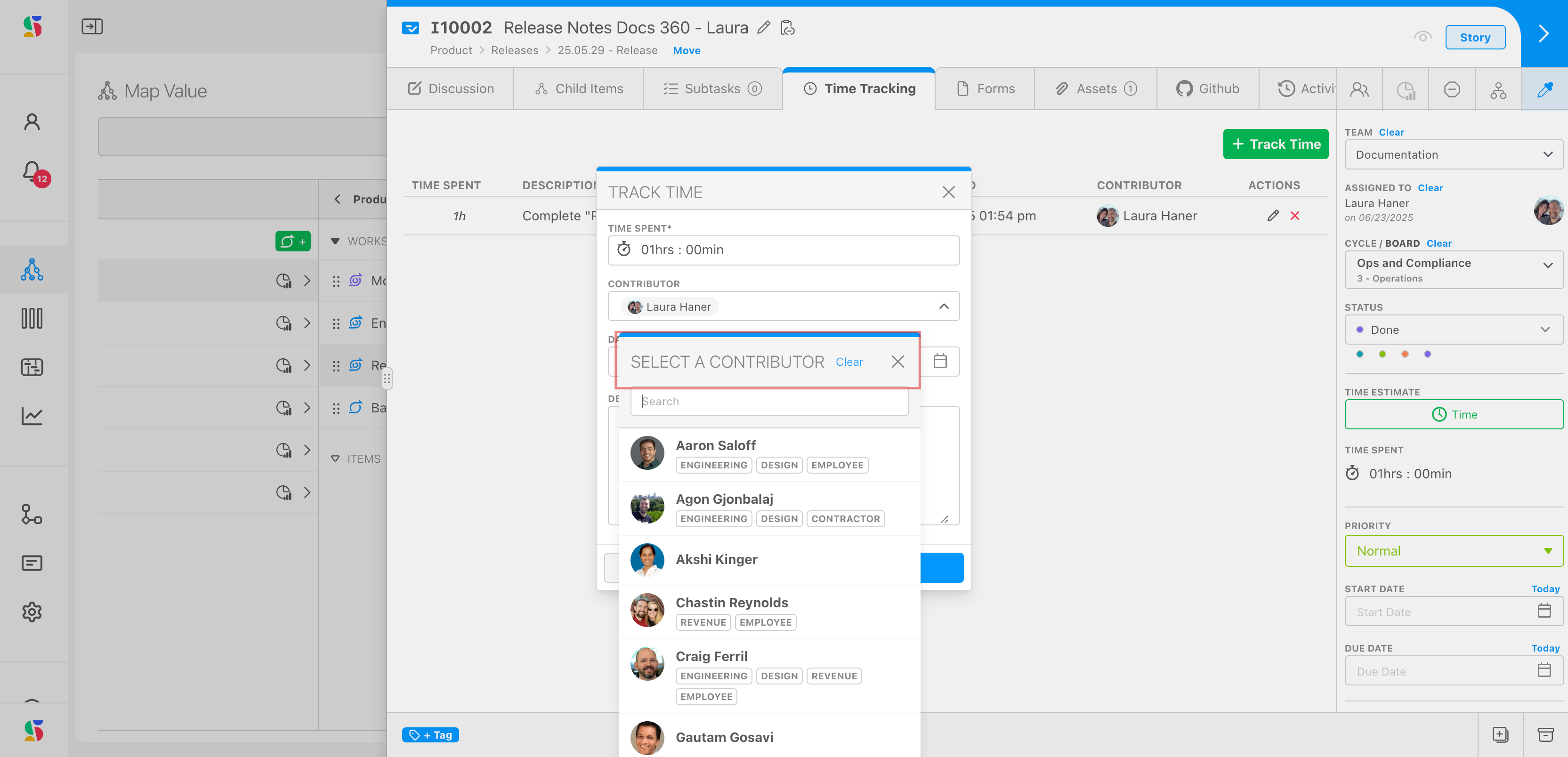
This allows you to log time on behalf of a teammate or adjust ownership for better tracking.
- Why It Matters
Whether you’re a team lead managing entries or helping out a colleague, this update ensures accurate contributor tracking without extra steps.
Item Position Control in Map
- What's New?
When adding a new item or Workstream via the quick-add popup, you can now choose whether to insert it at the top or bottom of the map. A new checkbox gives you this control, and your preference is saved for the session.
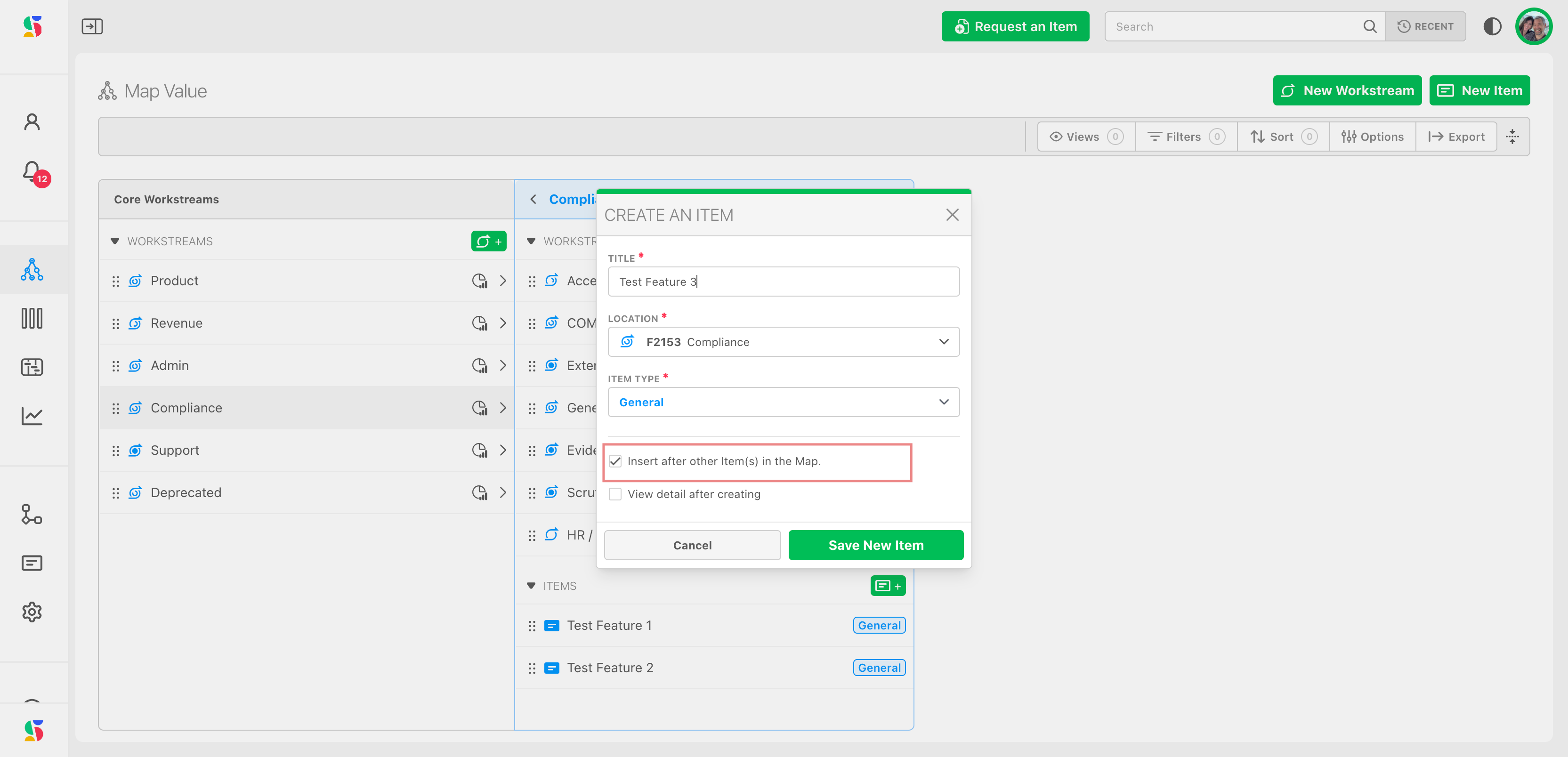
The map will also auto-scroll to the newly added item if the list is long.
- Why It Matters
Some lists (like step-by-step guides) are more intuitive top-to-bottom. Others (like bug reports or requests) benefit from the most recent items at the top. This update gives you the flexibility to work your way.
✨ Improvements
Keyboard Accessibility for Effort Points
- What's Improved?
The Effort Point cell in the Items Table is now fully keyboard-accessible. You can use the arrow keys to navigate like a spreadsheet and press any digit key to instantly update the value.
- Why It Matters
We're optimizing the grid view to deliver spreadsheet-level speed with the added power of DevStride’s intelligent inputs and modals. Expect more keyboard-first enhancements soon.
Item Menus
- What's Changed?
Fixed spacing, size, and color of the right-click item menus.
- Why It Matters
We've added a lot of right-click controls over time, and the right-click menu needed some TLC. Enjoy the consistent layout, colors, and fonts for a smoother UX experience.
Terminology Update: "Past Due" → "Overdue"
- What's Changed?
The label "Past Due" has been updated to "Overdue" across the UI.
- Why It Matters
User testing showed that "Overdue" improved comprehension speed and clarity. Small language updates like this help reduce cognitive load and create a smoother experience.
🐛 Bug Fixes
Forgot Password Flow
- What Was Fixed?
We resolved a previous issue in the forgot password flow.
- Why it Matters
Users can now successfully recover accounts via email.