Data Model
Cadences
Managing Cadences
Cadences in DevStride are a way to manage and track different phases or iterations of work such as sprints, cycles, or any other time-boxed events. The cadences allow teams to plan their work in a structured way. Here's how you can manage your cadences:
Accessing Cadences
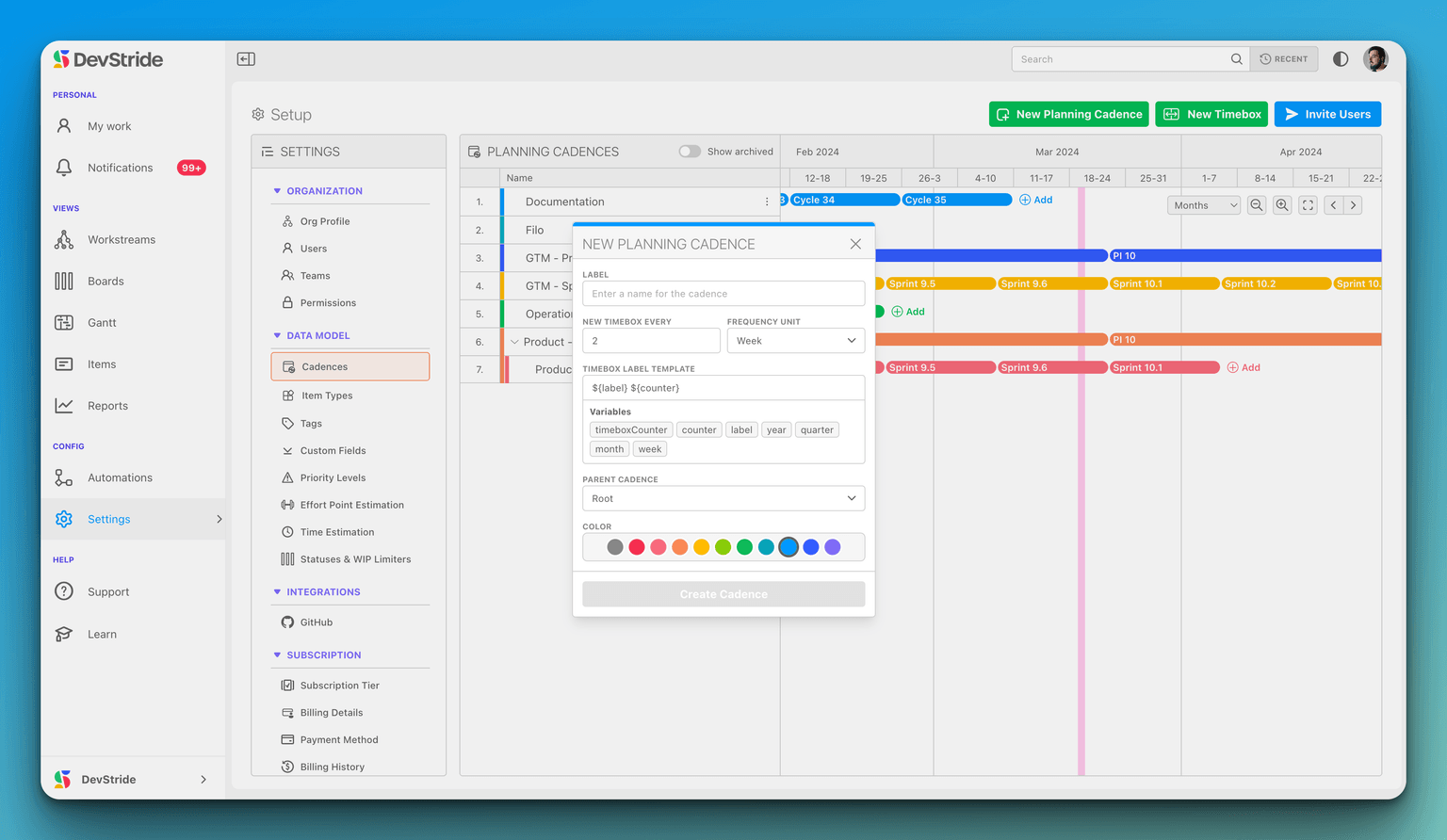
To access the cadences, follow these steps:
- Navigate to the
Settingsby clicking on the gear icon on the bottom left side of your DevStride dashboard. - Under the
DATA MODELsection, click onCadences.
Adding a New Planning Cadence
To create a new planning cadence:
- In the
PLANNING CADENCESsection, click on theNew Planning Cadencebutton. - A pop-up window will appear titled
NEW PLANNING CADENCE.
Configuring a New Planning Cadence
When creating a new cadence, you need to configure the following:
- LABEL: Enter a descriptive name for the cadence.
- NEW TIMEBOX EVERY: Choose the interval at which a new timebox (iteration) will occur (e.g., every 2 weeks).
- FREQUENCY UNIT: Select the time unit for the interval (e.g., Week, Month).
- TIMEBOX LABEL TEMPLATE: Create a label template for your timeboxes using the provided variables such as
${label},${counter},${year}, etc.
Setting Parent Cadence (Optional)
- If your new cadence is part of a larger cadence, you can select a parent cadence from the
PARENT CADENCEdropdown.
Choosing Cadence Color
- Select a color for your cadence to make it visually distinctive on the planning board.
Saving the Cadence
- Once all information is filled out, click
Create Cadenceto save your new cadence.
Viewing and Editing Cadences
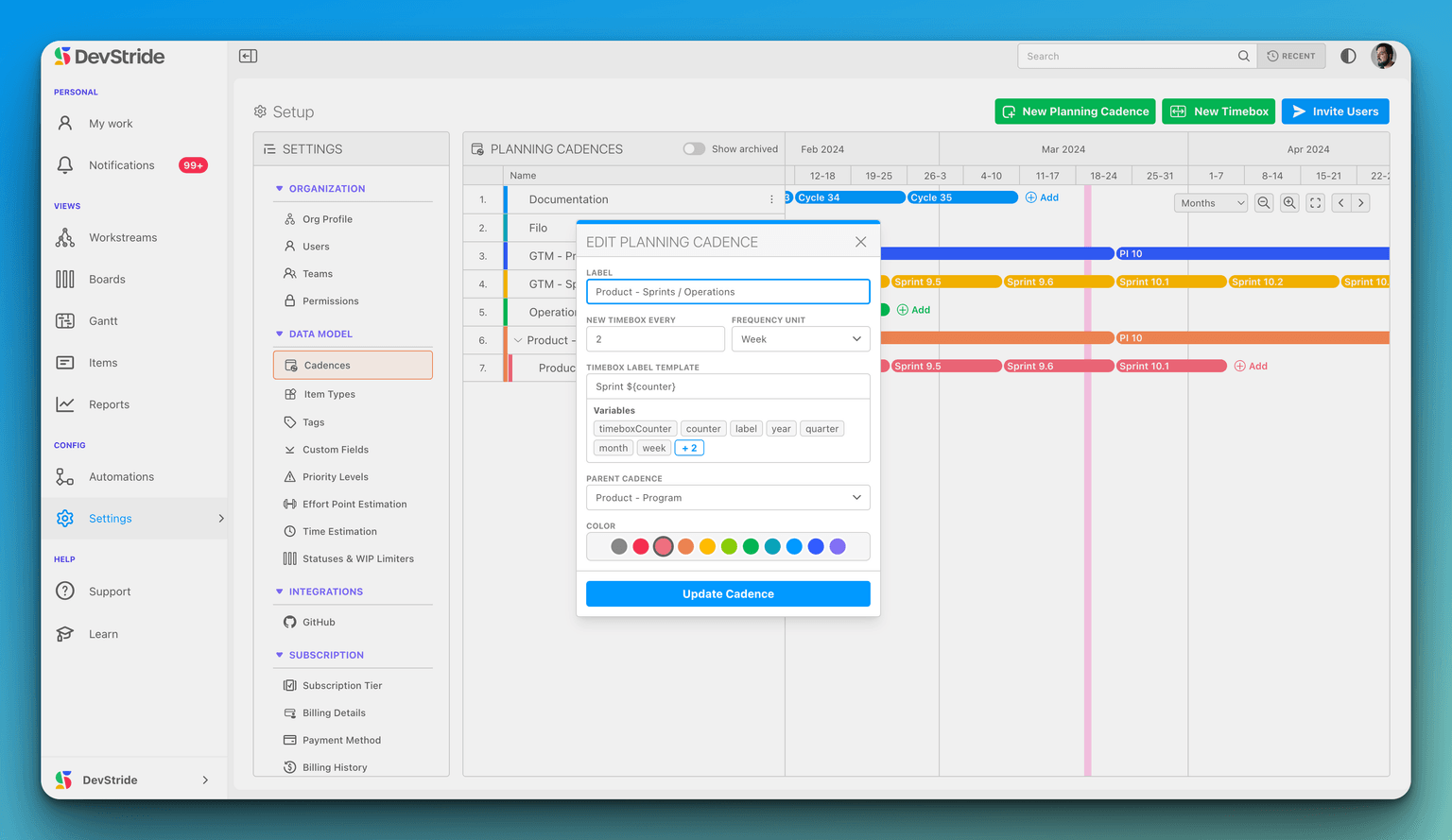
Once you have created cadences, you can view them in a Gantt-like timeline view in the PLANNING CADENCES section.
- To edit an existing cadence, click on the options
...next to the cadence you wish to edit, and select the appropriate action from the dropdown menu.